Pages

Showing posts with label writing. Show all posts

Using Mindmaping Tools in the Writing Process

Over the years I have written countless articles about how I use mind mapping in the work that I do, but one of the areas which may be overlooked is in the writing process. As part of my consulting business I am often asked to write project proposals for new work as well as status updates on projects that I may be working on. While man of us may be inclined to open up Microsoft Word and start writing, I have always found it easier to structure my thoughts using mind mapping software.

As part of the process, having the ability to brainstorm what I am going to include is a natural using mind mapping software. Having the ability to move my ideas around the mind map helps me to organize my ideas and structure the content that I will include in my final report. Once I have completed the brainstorming phase, I move the ideas around the map until I am satisfied with the content. Next, I begin to attach notes to my topics to flesh out my ideas. The notes will serve as the content for my report once I have exported the mind map into a Word document. After adding notes to each of the ideas in my mind map, I am now ready to utilize the export feature to Microsoft Word- which quickly generates a structured proposal or status report. Many of the leading mind mapping applications allow you to export directly to a PDF file format. I prefer to first export the report to a Microsoft Word document first so that I can make any final edits and changes before converting it to a PDF file.

Utilizing mind mapping tools to help generate and structure the report gives my proposals and project updates a unique look and feel that sets me apart from other consultants. The cover sheet of my report includes the mind map along with a table of contents which allows the reader to easily navigate to a specific page in the proposal. Once my report is in Microsoft Word, I generally convert it to a PDF file for my client which ends the process. I might add, that for my final touch, I have been using Adobe Acrobat SendNow service to send my finished proposals which gives me the added feature of being able to track that it was received. So if you are looking for a way to help structure your writing then reexamine how you can use mind mapping software for this purpose- you will be glad you did.
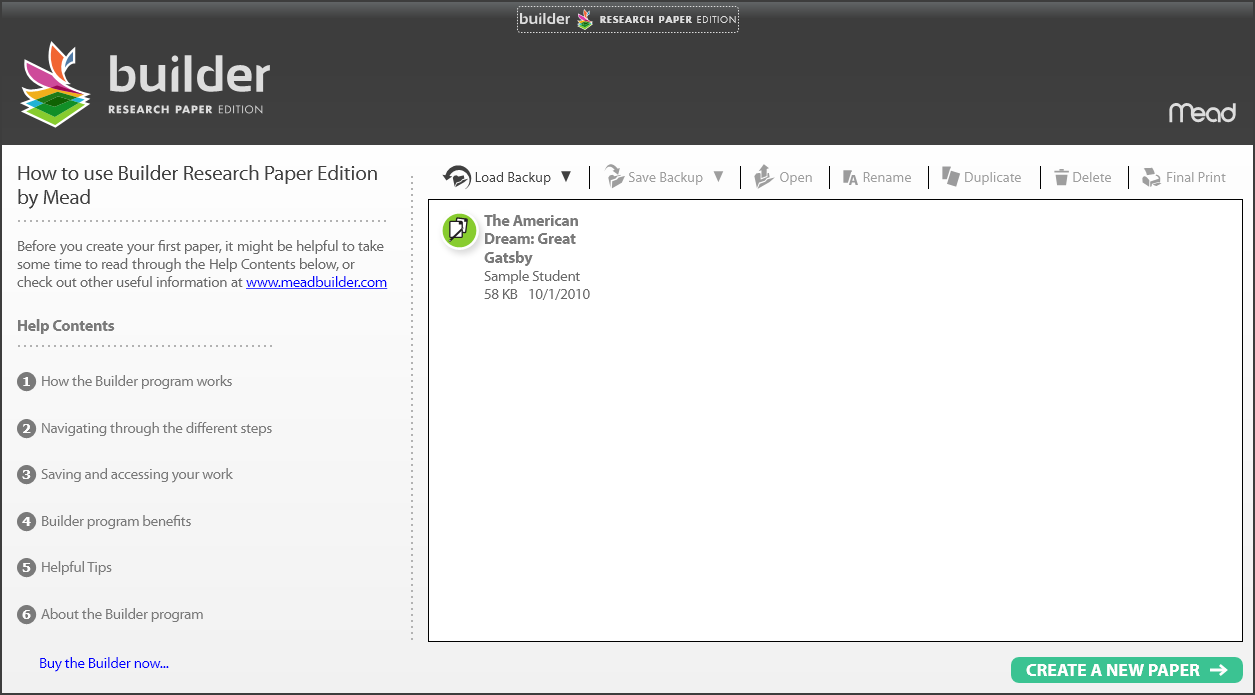
Introducing Builder™ Research Paper Edition from Mead

I am always on the prowl for new and innovative products that can make a difference in the life of students in our schools. This past summer I came across a new software product called Builder™ Research Paper Edition from Mead which is intended to help students in the planning and writing of research papers. Builder™ Research Paper Edition is intended for middle school and high school students and provides students with planning tools that one needs to write an effective research paper. For many students the thought of writing a well researched paper can be daunting. There is a great deal of planing, organization, note taking that must be accomplished in a timely fashion to get the research paper done. Builder™ Research Paper Edition from Mead walks students through the entire process and provides them with a great deal of feedback along the way. Builder™ Research Paper Edition ships on a USB drive and can be used on Windows and Mac platforms. The program is easy to use and one that you should take a look at. I am planning to do a more thorough review but wanted to give you the heads up so that you can take a look at it. Click on the video below to learn more about Mead Builder.

Boogie Board- New Age Etch A Sketch

I received a Boogie Board to review a couple of days ago and have been using it ever since. The Boogie Board reminds me of my youth when I would spend endless hours using my Etch a Sketch to draw and write my name. Luckily for me, the Boogie Board doesn't require as much coordination but the best part of it is that it is easy to use and I know that students and teachers will really enjoy using them. You see, the Boogie Board is a LCD Writing Tablet. You can write on it with the supplied stylus or with your finger nail. The Boogie Board has a dark black background and when you write on it your image appears in a greenish hue. Once you start using it you will find it hard to put it down. It is the perfect device for students for writing down ideas and for doodling. In the classroom it can replace student whiteboards or the traditional chalk boards that students might use to respond to teacher questions. One of the benefits of using the Boogie Board is that there is no chalk dust or need to use markers. One of the coolest features is that after you have written on the Boogie Board you can press the button on the top of the tablet and everything vanishes. You will find the Boogie Board easy to use and the feel of the stylus on the tablet is intoxicating. So if you are looking for Green technology to replace your paper pads then be sure to check out the Boogie Board.

Recording of Technology Supports for Writing Webinar is Now Available

This past Wednesday, Joan Green and I held a webinar on technology supports for writing which was based on our new eBook, "Technology Supports for Writing" which we recently released. The 51 page eBook which is accessible with Adobe Acrobat Reader includes a great compilation of resources for anyone who needs to support students in the area of writing. Included in the ebook iare over 12 videos that are embedded that let you actually see how the software works. You can view the videos in full screen and get a sense first hand if you think that the program may have application for the students you are working with. During the webinar we highlighted a couple of reesources, ie. PixWriter, Livescribe Pulse Smartpen, Ginger, and NaturalReaders. You will find the eBook to be a helpful resource to have on your computer which not only includes a breakdown of features and interactive links to the publishers website.

This 51 page cutting-edge video ebook is a rich resource for information about various software and hardware tools to improve the writing process. It includes one video describing how to take advantage of this new "just in time" type of multi-media interactive learning tool and 12 integrated videos showing readers examples of how to use supports built-in to some of the highlighted products.

Cover of Technology Supports for Writing


Clickable topics in our video e-book include:

* Software with customizable drill-and-practice exercises to improve writing
* Software to improve spelling
* Software to help stimulate written content
* Features of word processors and assistive writing technology
* Text-based word processing features
* Text- based word processors
* Picture-based talking word processors
* Stand-alone word bank program
* Dictionaries
* Graphic organizers: technology for organizing written narrative
* Technology to help with the physical aspect of writing
* Speech-to-text and voice recognition
* Initiation of the writing process
* The physical act of handwriting or typing
* Portable word processors


A recording of the webinar is now available for everyone to view for one week- until November 7, 2009. Please feel free to pass along this information:) If you know of colleagues, friends, teachers or others who might be interested in this topic, it would be great if you could email them the info to access the recording. If you are involved with support groups, listserves, blogs and Facebook - we would appreciate your help posting this info.

To view the recording go to http://tr.im/Do3z.


In this 60 minute presentation, you have the opportunity to see how assistive technology can help individuals with the writing process. Joan and I demonstrate and discuss several products such as Ginger Software, PixWriter, Livescribe Pulse Pen and Natural Readers and present information about our book titled "Technology Supports for Writing" (available as an instant download or on a CD from www.ittsguides.com.

Until Nov. 7th, use the coupon code "presentation" for a 30% discount for online orders of the download. Contact me at Joan@innovativespeech.com for an order form if you prefer to pay by check or need to use a purchase order
.


You will need Windows Media Player on your computer in order to view the webinar recording as well as high speed internet access. If you don't have the software, it can be downloaded from here.

After ordering the ebook, you will neet to have at last Adobe Reader 9 to view the integrated videos. If you don't have at least that version, it can be downloaded here .

We are both available for consultations as needed (on this topic or others) if you would like to explore in greater detail which resources might be most appropriate for your situation. Our contact information is included below. We'd also appreciate hearing from you about other topics you would be interested in learning about.

Picture of Brian Friedlander Brian Friedlander, Ph.D.
Brian@assistivetek.com
908-852-3460
Skype: assistivetek
Blog: assistivetek.blogspot.com

Picture of Joan Green Joan Green, M.A. CCC-SLP
Joan@innovativespeech.com
1-800-IST- 2550 or 301-602-2899
Twitter- @jgreenslp

Join Joan Green for an Exciting Webinar

I have known Joan Green for a long time and have always been impressed with her knowledge, passion, and innovation in the way she utilizes assistive technology with the clients she works with. Joan is now presenting this information through her webinar series making it easier than ever to find out about new and exciting practices that can make a big difference for individuals with disabilities. See below information about the webinar that Joan will be hosting this week.

Joan and I have also teamed up and will be releasing later this month an innovative ebook on writing supports for individuals with disabilities. The book title, Technology Supports for Writing not only includes a rich source of information about various software and hardware tools but includes over a dozen videos showing you how the features and how these tools can be used. During the webinar Joan will give you a sneak peak of some of the videos in the book and whet your appetite. Joan is a rich source of information and if you have the time please sign up for the webinar. Look for a webinar coming soon on technology supports for writing that Joan and I will be doing shortly.

Information about the webinar

ITTS Webinar #5-
Reading, writing, studying and organizing help for students


Thursday, February 26th, 2009 12:30-2:00 PM EST and
Sunday, March 1, 2009 10:00-11:30 AM EST

Presented by Joan Green, M.A. CCC-SLP
To learn more about Joan and how she helps people with communication, cognitive, learning and literacy challenges as well as the families and education and rehabilitation professionals who help them, go to www.innovativespeech.com


Register now at www.ittsguides.com/store- $50.00
This fee is due for each professional viewing this webinar or up to 3 members in the same family.

What others have said about this series of webinars:

"I find your webinars useful because there is just an explosion of technology/software programs to address all sort of problems. I am very interested in using more technology in my work but I don't have your level of expertise so I appreciate learning from you which ones are worth having and which ones to pass on. " Maureen F. Shea, C.A.G.S.
NCSP/LPC/Diplomate in School Neuropsychology

"Thank you, Joan. Your webinars are great - organized and practical!. It really is the future. I may be using your TWIST at a Distance this year. My professional goal for 2009 is to expand my delivery of technology-based services. Lots of plans - very fun!"
Kathy Shuler- Speech-language pathologist

"I think the webinars are extremely worthwhile. I found each of the ones I've attended very valuable. I think OTs would benefit from them as well. "
Emilia M. Bozzo- Speech-language pathologist

" What a wealth of information and a huge time-saver!"
Gina Griffiths- Clinical Supervisor for Graduate SLP Program


It is a challenging time for professional development and parents are often frustrated that their children don't qualify for more individualized help in school. So many funds are being cut that everyone is looking for ways to save. Sign up now for this webinar to maximize your learning of how to help students improve literacy and learning while saving valuable time and financial resources.

This session was designed with proactive parents, speech-language pathologists, occupational therapists, special educators, clinical supervisors, graduate students and professors in mind. We will discuss how technology can be used to improve reading and writing, top picks for software, and other tools and devices offering visual and auditory based assistance.

Learn in the comfort of your home or office. No prior computer experience is needed. All that is required is high speed Internet access, a computer and speakers. If you do not already have JAVA on your computer, a free download will be provided. To listen to the webinar, participants can choose to dial a phone number or listen through their computer by enabling a voice feature. Mac users will need to download a small patch for the Voice Over IP (VOIP.) Interaction is encouraged by text chatting.
Joan L. Green, M.A. CCC-SLP
301-602-2899/ 1-800-IST-2550
www.innovativespeech.com
www.ittsguides.com
Author of "Technology for Communication and Cognitive Treatment: The Clinician's Guide"

Please sign up for my e-newsletter at www.innovativespeech.com

Ginger Spell -New Writing Software

While doing some searches for new writing software a couple of months ago, I came across a rather interesting web site from Ginger Software. The company was tauting a new software application called Ginger Spell that works within Microsoft Word to provide students with writing disabilities support in the area of spelling and grammar. At the present time Ginger Spell beta does not include grammar support but will be added when the applications ships. Ginger Spell is unique in that it assist students in producing error free text right within Microsoft Word using very sophisticated algorithms. Ginger Spell installs within Microsoft Word 2003 and Word 2007 and provides a window that allows students to view the suggested corrections. As much as I am a big fan of word prediction there are a number of students with writing disabilities that do not do well with the tool- here is where Ginger Spell comes in. Students can write within Microsoft Word as they always do and once they are done can utilize the power of Ginger Spell to process their writing. Ginger Spell has the uncanny ability to make the right correction and produce an error free finished product- which is ideal for students with writing disabilities. I have had a chance to beta test Ginger Spell and am very impressed with the underlying technology. To use Ginger Spell you will need to be running Windows and have access to Microsoft Word 2003 or 2007 along with a connection to the internet.

I like the post processing features and I believe that many students will find this a more natural way for them to check their work. At the present time, Ginger Spell does not support text to speech but this something that the developer will be adding when it is officially released. I found the user interface very intuitive and rather straightforward. Making changes to the text was very easy and Ginger Spell in 90% of the cases made the right suggestion without me having to make any changes. Give it a try by downloading the beta now of Ginger Spell.