
Pages

Showing posts with label ConceptDraw Office. Show all posts

CS Odessa Releases Japanese Language Version of ConceptDraw MINDMAP


CS ODESSA LOCALIZED SOFTWARE NOW GIVES JAPANISE SPEAKERS ACCESS TO THE POWERFUL MINDMAPING FUNCTIONALITY AVAILABLE IN CONCEPTDRAW MINDMAP v 6

ODESSA, Ukraine, April 20, 2010 – CS Odessa (http://www.conceptdraw.com) originator of ConceptDraw MINDMAP an industry leading mind mapping product and part of ConceptDraw’s powerful business suite, ConceptDraw Office, is now available with a Japanese language interface. All of the supported language interfaces are available to users inside of a single product, there is no need to download and install a separate product for each language variation. Customers do not have to wait to see how support for their language will roll out, all supported language interfaces are released at the same time. ConceptDraw MINDMAP for Macintosh supports English, German, French, and Japanese (new) languages; ConceptDraw MINDMAP for Windows supports English, German, French, Russian (new) and Japanese (new) languages. Plus, ConceptDraw MINDMAP has many language dictionaries built-in the product to support map content in languages such as Spanish and Portuguese.

“By localization of ConceptDraw MindMap to Japanese we are demonstrating our commitment to that important market and ensuring that our Japanese customers have access to all of the powerful functionality contained in our product,” said Yuriy Varbanets, Product Manager for ConceptDraw MINDMAP. “By having all of the available language interfaces in a single product we go a long ways towards eliminating any pricing penalties on a group of users because of their language preference.”

All customers of ConceptDraw MINDMAP version 6 can receive a no charge update to the new language interfaces by downloading the most recent version of the product available on the CS Odessa website.

ABOUT CONCEPTDRAW PRODUCTIVITY LINE

The ConceptDraw product line for Macintosh and Windows is comprised of:

ConceptDraw Office

Powerful integrated productivity software suite that allows one to plan, do and manage any process or project

ConceptDraw PRO

Diagramming and drawing software

ConceptDraw MINDMAP

Brainstorming tool that utilizes mind mapping techniques to help organize ideas and tasks

ConceptDraw PROJECT

Professional project management software

ConceptDraw WebWave Plug-in

Software for creating professional diagrams and drawings for website development

ConceptDraw NetDiagrammer Plug-in

Network and system design

ABOUT CS ODESSA

Founded in 1993, Computer Systems Odessa supplies cross-platform productivity tools and graphics technologies to professional and corporate users. With headquarters in Odessa, Ukraine and an office in California, USA, CS Odessa sells products in over 120 countries. To learn more about CS Odessa, please visit:

http://www.conceptdraw.com/

CS Odessa to Host Free ConceptDraw Office Webinar


CS Odessa will be holding a seminar on ConceptDraw Office on March 4th, 2010 at 10 am PST. The primary focus will be ConceptDraw MINDMAP, but also addressed is how ConceptDraw Office works together in an integrated manner.


https://www1.gotomeeting.com/register/406392209

ConceptDraw Mindmap and ConceptDraw Project to support Google Desktop Search


PRESS RELEASE

Contact: Olin Reams

Email: oreams@csodessa.com

Phone: +1 (408) 441-1150 x 205


ConceptDraw Mindmap and ConceptDraw Project to support Google Desktop Search

Plug-in provides convenient access to ideas and information captured using CS Odessa visual documents for Windows


San Jose, CA, December 8, 2009 -- CS Odessa, the leading provider of business productivity and visualization software solutions for Macintosh and PC, announced today the release of its new Google Desktop Search® plug-in. The plug-in is available at no charge to individual and corporate customers who have the current Windows version of the company’s ConceptDraw MINDMAP® or ConceptDraw PROJECT®.


“With the release today of this new plug-in, our customers—especially those working in the enterprise—can now use Google Desktop Search to locate business-critical ideas and information stored inside their ConceptDraw mind maps and project plans,” said Yuriy Varbanets, ConceptDraw MINDMAP product manager. “Unlike typical file systems, ConceptDraw mind maps provide an intuitive, collaborative way to organize the brainstorming, research and planning that is critical to business success.”


CS Odessa’s new plug-in enables customers to use Google Desktop Search to dig deep inside ConceptDraw MINDMAP and ConceptDraw PROJECT documents. This gives users immediate access to a wide range of content types, including project management plans, project task lists, creative brainstorming for new products and services, detailed research notes, and relevant hyperlinks. Search results are then viewable from the Google Desktop Page.

“Our customers are telling us how important search has become to their business,” said Danil Somsikov, ConceptDraw MINDMAP developer. “Integration with Google Desktop Search gives our users a quick, convenient way to search the wealth of information they generate using ConceptDraw mind mapping and project planning software.”


The Google Desktop Search plug-in for ConceptDraw MINDMAP and ConceptDraw PROJECT can be downloaded at http://www.conceptdraw.com/googlesearch. The update is currently available for Windows users only.


The ConceptDraw Productivity Product Line

CS Odessa ConceptDraw products for Macintosh and Windows include:

• ConceptDraw MINDMAP

Brainstorming tool that utilizes mind mapping techniques to help organize ideas and tasks

• ConceptDraw PROJECT

Professional project management software

• ConceptDraw Office

Powerful integrated productivity software suite that allows one to plan, do and manage any process or project

• ConceptDraw PRO

Diagramming and drawing software

• ConceptDraw PRO WebWave Plug-in

Optional software plug-in for ConceptDraw PRO to create professional diagrams and drawings on the stage of website or application prototyping and design, page mocking-up and site-mapping

• ConceptDraw PRO NetDiagrammer Plug-in

Optional network and system design plug-in for ConceptDraw Pro


ABOUT CS ODESSA

Founded in 1993, Computer Systems Odessa supplies cross-platform productivity tools and graphics technologies to professional and corporate users. With headquarters in Odessa, Ukraine and an office in California, USA, CS Odessa sells products internationally through resellers in over 25 countries, and directly sells products in over 120 countries. The ConceptDraw line of productivity solutions has won numerous awards and is used by hundreds of thousands of people all over the world.

To learn more about CS Odessa, please visit

http://www.conceptdraw.com/

# # #


Inside Interview on Snow Leopard Update of ConceptDraw Products

I want to thank Gregory Zhukov, President of CS Odessa for providing me with this inside interview. I know that I found this to be interesting reading in getting an insiders perspective of what it was like to release ConceptDraw Office for the Macintosh with support for Apple's latest operating software Snow Leopard. So enjoy!
-------------------------------------------------------------------------------
Interviewed by: Vladimir Bogatov

In this post release interview of ConceptDraw, Danil Somsikov discusses some of the details on the new update of ConceptDraw Office to support Apple’s Snow Leopard. Danil talks about how this update improves the user experience for those whose daily work relies on ConceptDraw Products..

On September 9th 2009, CS Odessa released an update of their ConceptDraw Office suite, and its associated products, to support the Macintosh Snow Leopard release version 10.6.
This update covered all three products included in the ConceptDraw suite:
• ConceptDraw PRO – Professional business graphics tool for drawing schemes, diagrams and illustrating business documentation
• ConceptDraw PROJECT — Project planning tool and
• ConceptDraw MINDMAP — Tool for writing notes and presenting plans, knowledge and ideas
Many Mac users are familiar with ConceptDraw Products as professional software tools that enable them to visually work with documents and information. CS Odessa is well known for its constant stream of innovation. The latest ConceptDraw Office release for Snow Leopard reminded me of the value that is built into all the ConceptDraw Products, and I felt that this would be a good time to interview one of the key developers of ConceptDraw Office.

Danil Somsikov is a senior developer of ConceptDraw MINDMAP who recently took the time to sit down with me to discuss this release from a developer viewpoint. Of course, I also wanted to take this opportunity for Danil Somsikov to talk about the value in ConceptDraw MINDMAP as well as the support of Snow Leopard. We also spent some time discussing why the ConceptDraw MINDMAP implementation and its close integration with its suite mates within ConceptDraw Office is so important for project management and viewed as a real time saver to our customers.

What can you tell us of the ConceptDraw release for Snow Leopard and the approach taken by you and the other developers?

Our main goal for this update was the support of Snow Leopard. We focused on releasing this update on time to provide business users of Snow Leopard with reliable and stable application. We know many people use our products very heavily in their business, so we spent many hours preparing the release to support our customer’s requirements.When we do the next major update we will use many of the major innovations that are contained in Snow Leopard. Multithreading and a 64-bit architecture enabled us to implement huge improvements in our application’s speed, as well as to the application’s user interface.

Was there anything significant in the fact that the update was released at 9/09/09?

It was just a random play of events that kept us working very hard up to the last minute, it is just pure happenstance that we had everything completed at exactly 9 AM of 9/9/9. :-)

What can you say about the application speed for Snow Leopard? Can you see any difference between Snow Leopard and previous
versions of the Mac OS?

Yes, the application works significantly faster; we have found it to be one and a half times
more efficient.

How many interface changes were made in the updated version for Snow Leopard?

Technically, we paid the most attention to delivering a quick and responsive interface; Snow Leopard helped us with that. The updated interfaces work very smoothly. We made no changes to the GUI (graphical user interface) so this update will remain very familiar for our customers.

What was the hardest part of releasing this version for Snow Leopard?

This time we made many modifications in accordance with Cocoa changes. I really love the Mac platform and all of us on the development team made the required changes to deliver a reliable and stable application for our Snow Leopard users. Traditionally, even with the minor updates of ConceptDraw Products, users can expect to see some additional new and useful features.

What features were added for this update for Snow Leopard?

This time we extended functionality of exporting to PowerPoint, I think our users who use this export feature of the product will like the improvements.

How do you personally use mind mapping in your daily work?

Oh, wow, I use it for everything! I have a multipage mind map in the form of my own personal dashboard where I keep all my notes, books I have or am currently reading, my personal journal/log, and frequently I email mind maps to my friends. I even have a very large mind map that describes all of my work projects and presentations. Additionally, I use mind maps to collect information which may be of use for my current or future work. Aside from these, I use maps to organize information to make decisions that involve many different scenarios and options.

What do you see that differentiates the ConceptDraw MINDMAP product in the marketplace?
How much space do you have to write in?

I will be brief here and limit it to five:
• One, our customers tell us that the product is very easy to learn and use, but is very
powerful at the same time. We work hard to accomplish this; it is a constant focus
of ours.
• Two, we are well integrated with ConceptDraw PROJECT. This makes it easy to start
and manage projects. We are not just a lightweight visual representation of task data,
but a real tool that can be used.
• Three, ConceptDraw MINDMAP multiple page feature in a single map is a very powerful
way to organize larger maps. I use this functionality in most of my maps.
• Four, we provide identical functionality with our Macintosh and PC versions of all of our
products. For people that use both, or want to migrate from one to the other, this is
a immeasurable feature.
• Five, our Brainstorm mode is very powerful and well liked by all of our customers
I could go on, but for the sake of space I will stop at five!

Can you tell me be about your favorite feature of ConceptDraw MINDMAP?

I love the shortcut keys Ctrl+Arrows (up/down, left/right). When viewing a map, I use
the Ctrl+Arrows keys to change a topic’s location levels inside the map’s structure. I find
that for books I read — changing a topic’s location helps me better understand the subject
and creates a more thoughtful and logical description. When I’m changing the topic’s order
and finally discover the right place – my understanding of the subject improves. I like that. :-)
Once you have distributed topics to the right places on the branches of the mind map
tree, the problem becomes much clearer and making decisions becomes an easy and visual
process. It’s a great guideline to follow.

What do you wish to tell people who use ConceptDraw?

I encourage all users of ConceptDraw to write to us with their ideas and wish lists. We research
and implement many fresh ideas of what our users have told us, they would want in
a toolbox for daily use. We are happy to consider all ideas from our customers, especially the most innovative
functionality suggestions which intend to save time and make them more efficient. Many of these ideas have been or are being implemented in future major upgrades. An example of this type of work is the implementation of our One Click Navigation feature set, which was added because of user feedback on making navigation easier within
large maps.We have also implemented a number of easy to use tools for transforming notes into
a presentation. Another feature that we added was an extensive toolbox for project managers who
need to communicate work status of projects and tasks on a daily basis.

What would you like to add to this interview?
I love helping people become more productive. It is my wish to continue to develop our
products that will be useful in anyone’s daily work! :-)
______________________________________
The powerful cross-platform development technology, used by CS Odessa, provides
customers with regular updates as quick as any Windows or Macintosh operating
system updates are scheduled for release. We will always ensure that
ConceptDraw Products will be on-time with updates in the future.
Our development team listens to customer feedback which has a positive impact
on our product development. We are focused and dedicated to improving our products
with innovative functionality and new techniques for “visual writing”.
Who benefits from visual writing? There is a universal need to produce highly visual
documents everywhere and by everyone. One such category of knowledge worker who
require this capability are project managers. They have an appreciation for tools which
saves time and resources on their tasks, and can automatically generate different views
of a project’s data for a wide audience of project participants and stakeholders.

Mind Mapping Updates for Snow Leopard OS X 10.6


For those of you who have upgraded to the latest Mac OS- Snow Leopard you may have encountered some difficulties running your existing applications. While the software companies are well informed about these impending changes that may impact on their software sometimes it is hard to get the patches out the door exactly when the new operating system ships. You will be happy to know that Mindjet has recently released an update for MindManager 7 which will now allow you to run MindManager for the Mac under Apple's latest operating system called Snow Leopard. You can download the update by clicking here.

Likewise, I just received word from CS Odessa that announced that all of the current versions of their ConceptDraw productivity software product line now fully supports the Apple Macintosh OS X 10.6, Snow Leopard operating system. You can find the ConceptDraw Office Update by clicking here. So if you are using ConceptDraw MindMap with Snow Leaopard just click on the link and you will be mind mapping in seconds on your Mac with the latest and greatest operating system.

Dashboards for Project Management

by Brian S. Friedlander, Ph.D. & Wallace Tait

Sitting in any vehicle; what’s the center of visual control? It’s the instrument panel, better known as the “dashboard”. Every vehicle has one, we require them and they give us an accurate measurement of performance and capability. Consider the vehicle analogy while using information mapping software. It makes perfect sense for the information manager to use a dashboard to measure key process variables (KPV”s) within business.

Have you considered a dashboard approach as a “single point of access” to all of your KPV”s while using the tools, methods and mindset of visual mapping? Another pertinent question may be asked of the developers of visual mapping software. Why is a dashboard approach unavailable in most of the applications that utilize a mind mapping approaches to information management?

A visual map can, when used effectively, be an ideal tool for graphically communicating ideas and gaining team buy in right at the genesis of a project; and as a dashboard, an excellent way to graphically track the progress of any project. While a visual map is extremely effective as a communication tool, it’s much more effective and powerful when used as, or synchronized with a dashboard.

ConceptDraw Office is a product suite that, in our opinion, has a very unique and powerful dashboard function that enables tracking and reporting of critical KPV’s within a business management project. Analysing CD Office through the eyes of a busy project manager; the power of the dashboard function is evident. For those of you who may not be familiar with ConceptDraw Office; it consists of three distinct applications:

All of this is supported by the CS ODESSA InGyre technology; the tool that seamlessly synchronises the information exchanges between the three products within CD Office. In any business there are many shift points where data is transformed to meet particular audience requirements. InGyre Technology Adds Value at any Stage of a Business Process. InGyre Technology supports delivery of information in an optimal visual manner for specific audiences.

CD Office provides a turnkey approach to creating, managing and exchanging information and knowledge, while easily generating reports and utilizing the graphical power of the product. Using the “Generate Reports” function, the project manager can generate an impressive report of KPV’s within seconds.


The process from mind mapping your project in CD MindMap and sending it to CD Project is processed with ease while using CD MindMap. Making it easy to communicate ideas and brainstorm project paths before moving into project management is what CD Office does well. You can determine which branches of your mind map are moved over to CD Project which gives you lots of control. Once you have synchronised the mapped information with CD Project you are in the full featured project management function and ready to go.

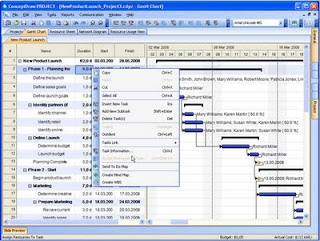
CD Project has several different views which are useful in planning your project. Most users of project management software will spend most of their time in the Gantt Chart as they set up the dependencies, schedule, and track the tasks. You can also view the Resource Sheet, Network Diagram, as well as Resource Usage from within CD Project.

The absolute power of ConceptDraw Office is the generation of the business system reports. Simply chose the “Generate Reports” function, and you can create highly visual reports to keep you and your team up to date with project status, capabilities and performance measures. Communicating project information in a clear and succinct manner ready enables the elimination of ambiguity for stakeholders and shareholders alike. So we encourage you to take a closer look at ConceptDraw Office, use the dashboard approach and manage your projects, while keeping them on time and within budget.


CS Odessa Releases ConceptDraw MindMap for Projects

CS Odessa recently announced the release of ConceptDraw MindMap for Projects for Macintosh and Windows at a list price of $299. ConceptDraw MindMap for Projects takes advantage of ConceptDraw MindMap as well ConceptDraw Project. Both programs work collaboratively together, to help the user to brainstorm, plan and manage projects. One can easily go from mind mapping a project in ConceptDraw Mindmap and send the results to ConceptDraw Project to quickly develop your Gantt Chart. It is also possible to develop you project in ConceptDraw Project and create a mind map from the data. ConceptDraw Project is a full featured project management application that allows you to track budgets, resources and provides a rich array of reports that can be graphically presented and displayed. I'll have more to show you in the next couple of weeks as I begin to use the program more.

CS Odessa Introduces ConceptDraw Office


CS Odessa Introduces ConceptDraw Office - The Integrated Solution for Effective Project Management Visualization and Communication

Odessa, Ukraine, June 17, 2008 - CS Odessa announces today the general availability of its new ConceptDraw Office business productivity software suite. ConceptDraw Office reflects CS Odessa's collective expertise in developing market leading business applications, data visualization technologies and project management tools.

Using CS Odessa's new InGyre Technology in its ConceptDraw Office business productivity applications (ConceptDraw MINDMAP, ConceptDraw PROJECT, and ConceptDraw PRO), users are provided with a seamlessly integrated workflow solution. The functionality of one stand-alone application is significantly extended, by utilizing the capabilities of the other applications within the suite, to create powerful work environments.

Building representative visual documentation that reflects work progress is a critical project task that ConceptDraw Office was developed to support. InGyre Technology assists in the creation of visual dashboards and reports that represent key indicators of work progress, from either project files or a set of selected tasks. It also quickly transforms task outlines into professional looking Work Breakdown Structure (WBS) charts that are editable by using ConceptDraw PRO.

From a communication standpoint, impressive visual project reporting is critical for the project success of any participant. ConceptDraw Office introduces a wide selection of tools to easily generate professional visual project reports.

Gregory Zhukov, Chief Executive Officer of CS Odessa explains, "We have seen from how our customers use currently available software products on the market, that there is a clear need for a visually-based application suite that has the capability to break through many of the business productivity barriers which have an adverse effect on project success. Years ago, Microsoft Office revolutionized the way we work with text documents and spreadsheets. In much the same way, ConceptDraw Office revolutionizes the way we work with project management data and business information."

Gregory Zhukov, further states, "With the time and other resource constraints that face knowledge workers today, it is important that the tools they use closely fit the tasks at hand. With CS Odessa's forward thinking design of CD Office, knowledge workers can now focus on accomplishments without struggling with the tools they use."

A common customer usage scenario often begins with the brainstorming of project ideas, using whiteboard views and organizing results into highly informative mind maps. During the next phase, information is developed into detailed project plans with Gantt charts and visual performance dashboards. Managers can then balance and efficiently allocate resource loads using the Resource Usage view, or assign and send task lists to team participants in the form of mind maps. ConceptDraw Office provides start to finish process and project cycle management.

For more information about ConceptDraw Office, please visit:
http://www.conceptdraw.com/pg?id=cdo_1.0_press-main

ConceptDraw Office is available for $499 USD at:
http://www.conceptdraw.com/pg?id=cdo_1.0_press-buy

ABOUT CONCEPTDRAW PRODUCTIVITY LINE
The ConceptDraw product line for Macintosh and Windows is comprised of:

  • ConceptDraw PRO
    Diagramming and drawing software
  • ConceptDraw MINDMAP
    Brainstorming tool that utilizes mind mapping techniques to help organize ideas and tasks
  • ConceptDraw PROJECT
    Professional project management software
  • ConceptDraw WebWave
    Software for creating professional diagrams and drawings on the stage of website or application prototyping and design, page mocking-up and site-mapping
  • ConceptDraw NetDiagrammer
    Network and system design
ABOUT CS ODESSA
Founded in 1993, Computer Systems Odessa (www.conceptdraw.com) supplies cross-platform productivity tools and graphics technologies to professional and corporate users. With headquarters in Odessa, Ukraine and an office in California, USA; CS Odessa sells products internationally through resellers in over 25 countries. The ConceptDraw Productivity Line of products has won numerous awards and is used by hundreds of thousands of people all over the world