
Showing posts with label elearning. Show all posts
Showing posts with label elearning. Show all posts
Using the 3-D Recording Headset with the Livescribe Sky Wifi Smartpen
Last week I used the Livescribe SKY WiFi to create some eLearning materials for one of the graduate courses that I teach at the college. After I had created the materials I noticed that when using the pen to record it does pick up a bit of the pen moving across the paper which adds some scratchy audio to the materials. So this weekend I decided to see what would happen if I recorded a session with the Livescribe SKY WiFi but this time compared the audio with the built-in microphone as compared to the 3-D Recording Headset. It is quite evident that when using the 3-D Recording Headset that you can get a much cleaner audio recording which removes a lot of the scratchiness you hear when using the Livescribe SKY WiFi pen with its built-in microphone. You can hear it for yourself by clicking on the image of the Sticky note. The first sentence was recorded using the Livescribe SKY WiFi with its built-in microphone and the second sentence was recorded using the 3-D Recording Headset. I think you will agree that the second recording has much better sound quality. I know that in the future, I will use the 3-D Recording Headset with my Livescribe SKY WiFi pen when creating eLearning materials for my classes. Click on the note to hear the difference
Using Adobe Presenter 8 with Moodle


 One of the features that has really worked well for me using Adobe Presenter 8 is the ability to create a SCORM (Sharable Content Object Reference Model) compatible course from my PowerPoint presentations that I can then upload to Moodle. Using the Quiz feature found within Adobe Presenter 8, I am able to create a variety of different types of questions that allows me to assess what the student has learned during the session. It also provides a valuable way for my students to receive feedback after they have worked through the module. Creating the SCORM compatible file from your course is a cinch when using Adobe Presenter 8 which makes it really easy to upload to Moodle. From within the Quiz Manager select the Reporting tab and simply select the SCORM option. Now you simply have to Publish your course from within Presenter 8 and save the course using the Zip package format.
GoAnimate - Engaging Tool for Creating Videos
I had the pleasure of presenting with my colleague Dr. Patricia Schall today at the New Jersey Council of Teachers of English Conference which was hosted at the College of St. Elizabeth. It was exciting to be part of this conference since I usually present at special education venues. The keynote speaker Andy Cohen who heads up the Bridge Film Festival at the Brooklyn Friends School shared with us some of the video's that students who participated in the file festival have crafted over the years. It was truly inspiring to listen and to watch the stories unfold on the screen. Andy shared that students used many tools to create the videos and shared one of then called GoAnimate, which he demoed for us. When I saw the ease of use and the potential of GoAnimate I signed up for a free account and gave it a whirl. Even with the free account you are able to create animated videos that are sure to capture your audience's attention.
Using GoAnimate, it is easy to create eLearning assets and engaging materials that can be embedded into your website or blog. If you upgrade your account you get to select more move makers and the ability to upload to YouTube. Having tried GoAnimate I have to say wow! it is extremely easy and intuitive to use. Within minutes I had created my first animated video which was so easy to do. I am definitely going to explore the possibilities of GoAnimate and look to use it in my graduate classes for projects. I was anxious to share GoAnimate with you and so I am embedding a short but unfinished video so you get an idea of what is possible. I hope to complete this one so stay tuned! Enjoy!
Accessible Books by AssistiveTek on GoAnimate
Animated Presentations - Powered by GoAnimate.
Using GoAnimate, it is easy to create eLearning assets and engaging materials that can be embedded into your website or blog. If you upgrade your account you get to select more move makers and the ability to upload to YouTube. Having tried GoAnimate I have to say wow! it is extremely easy and intuitive to use. Within minutes I had created my first animated video which was so easy to do. I am definitely going to explore the possibilities of GoAnimate and look to use it in my graduate classes for projects. I was anxious to share GoAnimate with you and so I am embedding a short but unfinished video so you get an idea of what is possible. I hope to complete this one so stay tuned! Enjoy!
Accessible Books by AssistiveTek on GoAnimate
Animated Presentations - Powered by GoAnimate.
Using Adobe Presenter 8 for eLearning
 Having used Adobe Presenter 7 to create eLearning material it was exciting to learn that Adobe had released a new version of Adobe Presenter with a slew of new and exciting features. I have had a chance to work with Adobe Presenter 8 for the past two months to learn the ins and outs of the program and am really impressed with the product and some of the new features that have been added. Adobe Presenter 8 remains a plug-in for PowerPoint on the Windows platform which when installed appears as a new Tab on the PowerPoint Ribbon. Once you click on the Tab you will see a host of features that are specific to Adobe Presenter 8 that you can utilize. To get started with Adobe Presenter 8 just open an existing PowerPoint, click on the Adobe Presenter Tab and you can then bring in video, record audio and build an eLearning module complete with navigation and quizzes. Subject matter experts will enjoy the easy to use interface and be creating modules in no time. One of the real strengths of Adobe Presenter 8 is the intuitive interface which will ensure a fast learning curve.
As more and more students are learning online it is essential that as subject matter experts that we have easy to use tools to create rich online materials. Using a HD webcam you can bring in high quality video into your eLearning courses with Adobe Presenter 8 and display it on a slide or on the Navigation pane. Adobe Presenter 8 lets you customize the Navigation pane and gives you control over the color selection. In the current version of Adobe Presenter 8 you can have the Navigation pane inherit the color and theme of your PowerPoint presentation giving it a lot of pizzazz and visual appeal. Narrating your presentation could not be easier with Adobe Presenter 8. When using the recording feature you can import all of your Slide notes and have them ready to access as you add audio to your eLearning module. If you have animations on your slides Adobe Presenter 8 makes it easy to synchronize the animations to your audio thus ensuring that the audio and animation matches during playback.

What has always impressed me about Adobe Presenter 8 is the ease of use and the way that it can wrap up your material up complete with navigation to make for a very professional looking course. Since so many professionals have legacy PowerPoint presentations-having access to Adobe Presenter 8 makes sense for those of you who are considering putting together online courses. Adobe Presenter 8 eLearning courses can be published to your Adobe Connect account, or as a PDF that can be viewed with the Adobe Acrobat Reader 9 or above. Adobe Presenter 8 can also be viewed on an iPad using the Presenter App. Please note there are some limitations viewing eLearning courses on the iPad.

While creating engaging material for your online courses is one of the goals of Adobe Presenter 8, when it comes time to assess your students, Adobe Presenter 8 includes the ability to create Quizzes which can capture what they have learned. Adobe Presenter 8 supports AICC and SCORM making it easy to connect to existing Learning Management Systems (LMS). I have used this feature within Moodle which worked well and provided me reports as to how my students performed on the learning module. Adobe Presenter 8 allows designers and teachers to include True/False, Multiple Choice, Fill in the Blanks, Short Answer, Hotspots, Likert Scale, Matching and Sequence style questions. Adobe Presenter 8 will automatically create a summary slide to provide feedback and scores to the students.
Adobe Presenter 8 hits that sweet spot for individuals that are comfortable using PowerPoint and have made an investment in creating presentations over the years. Utilizing Adobe Presenter 8 gives them the ability to quickly convert their legacy presentations into interactive presentations that can be uploaded and utilized within a LMS or published to a server. Users will appreciate the easy to use interface and now having access to the Video Creator adds a new dimension to the program allowing users the ability to create high quality video demonstrations without the need for expensive equipment. You can download a trial version of Adobe Presenter 8 and kick the tires- you will be glad you did.
Free Adobe eSeminars for Captivate 5.5
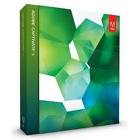
While Adobe Captivate 5.5 is an easy to use tool- it is great that Adobe will be offering free eSeminars to walk you through the finer points. To register for one of the seminars just click in the link. Enjoy! Brian
Thursday, Sept. 22 – 8 a.m. PT/11 a.m. ET
Join Dr. Pooja Jaisingh and Vish to learn about the alternate options available for quiz reporting like Acrobat.com and Internal Server. They will also show you how to analyze the results using Adobe Captivate Quiz Results Analyzer.
Thursday, Sept. 29 – 8 a.m. PT/11 a.m. ET
Join Vish and Dr. Pooja Jaisingh to learn how to use the Branching panel effectively in Adobe Captivate 5.5.
Wednesday, Oct. 12 – 10 a.m. PT/1 p.m. ET
Join Dr. Allen Partridge for Part 3 of an advanced tutorial on creating soft skills simulations with Adobe Captivate. This session is recommended for intermediate and advanced users and assumes fundamental awareness of Adobe Captivate. Dr. Partridge will demonstrate and break-down the elements commonly used in creating soft skills simulations. This will be a technically oriented session focused on advanced actions and creating the logical decision trees and complementary functions to make advanced branching dependent projects really sing.
Adobe Announces eLearning Suite 2 & Captivate 5

SAN JOSE, Calif. - (BUSINESS WIRE) - Adobe Systems Incorporated (Nasdaq:ADBE) today announced Adobe eLearning Suite 2, a significant upgrade to its tightly integrated, end-to-end solution for easily creating, reviewing and maintaining eLearning content. The suite, now natively compatible with Mac OS in addition to Windows, enables eLearning professionals, educators and trainers to turn creative ideas into dynamic eLearning materials that engage learners with multimedia and interactivity. eLearning Suite 2 - anchored by the new Adobe Captivate 5 - includes Adobe Flash Professional CS5, Adobe Dreamweaver CS5, Adobe Photoshop CS5 Extended, Adobe Acrobat 9 Pro, Adobe Presenter 7 and Adobe Soundbooth CS5.
"Today's educational and professional learning departments are under enormous pressure to deliver impactful content quickly and efficiently," said Naresh Gupta, senior vice president, Print and Publishing at Adobe. "eLearning Suite 2 is a major leap forward in eLearning content creation. It addresses the challenge with its tightly integrated toolset that allows content creators to develop powerful media-rich eLearning experiences without the time and expense of programming."
Adobe eLearning Suite 2 enhances productivity with smarter aggregation capabilities included in Adobe Captivate 5, eLearning extensions for Dreamweaver and Flash, and new application round tripping workflows between authoring and asset creation tools. For example, a course designer can now insert Adobe Photoshop CS5 (PSD) files as smart objects into an Adobe Captivate project and update the images with one click should the original files change without having to resave and reinsert images. Similar workflows exist between the other eLearning Suite components including Adobe Captivate, Soundbooth and Flash.
"Timely, effective training on the use of our products is critical for us and our customers to meet compliance requirements," said Mary McGivern, Instructional Designer, Omnicell, a leading provider of comprehensive, technologically advanced automation that enables healthcare facilities to acquire, manage, dispense, and deliver medications and supplies more effectively. "The new user interface in Adobe Captivate 5 lets me work more efficiently and is now similar to other Adobe products. This will speed up my workflow and help me meet timelines more effectively."
Introducing Captivate 5
Adobe Captivate is the industry-leading, rapid authoring solution for developing demonstrations, application simulations and branching scenarios - without requiring programming expertise while not compromising quality. Version 5, which introduces the software to Mac OS, offers exciting new features that allow users to do more complex tasks faster such as enhanced importing and round tripping for Microsoft PowerPoint.
The new user interface - similar to the Dreamweaver CS5, Flash CS5 and Photoshop CS5 interfaces - lets users create and revise content faster and more easily than ever before by supporting multiple document editing and personalized workspaces. The Properties Inspector tool also boosts time-savings, as course authors can edit object properties in fewer steps. Additionally, eLearning professionals can leverage an expanded asset library and use customizable widgets to quickly create tables and design graphical buttons. Other major enhancements include support for rich animation effects, the ability to import videos in popular formats (AVI, MOV, FLV, MPEG) and synchronize video across multiple slides.
For more effective collaboration, Adobe Captivate 5 customers can upload, exchange and review content, as well as track and report learner scores by signing up for Adobe's online productivity software, Acrobat.com (available separately). Also, a new widget lets students and educators interact via Twitter, facilitating online Q&As and group discussion.
To ease the process of maintaining content, Adobe Captivate 5 introduces Object Style editing, which facilitates changes project-wide with just a few clicks, allowing content creators to easily define and modify the look and feel of buttons, text, images and other elements. eLearning designers can also create Master Slides with preset themes and styles for text, shapes and graphics. This accelerates authoring as contributors can focus on content rather than formatting details, and ensures that the look and feel of an organization's presentations are preserved. Once eLearning content is published, training and learning professionals can track and report key performance metrics via Acrobat.com or their own Web server.
Pricing and Availability
Adobe eLearning Suite 2 and Adobe Captivate 5 are expected to be available via Adobe Authorized Resellers and the Adobe Store at www.adobe.com/store in June. Customers can pre-order Adobe eLearning Suite 2 and Captivate 5 today. Estimated street price for the suite is US$1799; upgrade pricing starts at US$599. Estimated street price for Adobe Captivate 5 is US$799; upgrade pricing starts at US$299. Educational pricing is available for both products.
Both products are compatible with Mac OS X v10.5.7 or v10.6, Microsoft Windows XP with Service Pack 2 (Service Pack 3 recommended), Windows Vista Home Premium, Business, Ultimate, or Enterprise with Service Pack 1 or Windows 7 (certified for 32-bit Windows XP, Windows Vista and Windows 7). The Mac OS version of eLearning Suite 2 does not contain Adobe Presenter.
Helpful Links
eLearning Suite 2 and Captivate 5 Customer Quote Sheet
eLearning Workflows in eLearning Suite 2
eLearning Suite 2 home page
What's new in eLearning Suite 2 (On-demand seminar)
Top new features in Captivate 5
Captivate 5 home page
What's new in Captivate 5 (On-demand seminar)
About Adobe Systems Incorporated
Adobe revolutionizes how the world engages with ideas and information - anytime, anywhere and through any medium. For more information, visit www.adobe.com.
(c) 2010 Adobe Systems Incorporated. All rights reserved. Adobe, the Adobe logo, eLearning Suite 2, Captivate, Flash, Dreamweaver, Photoshop, Acrobat and Soundbooth are either registered trademarks or trademarks of Adobe Systems Incorporated in the United States and/or other countries. All other trademarks are the property of their respective owners.
Photos/Multimedia Gallery Available: http://www.businesswire.com/cgi-bin/mmg.cgi?eid=6275652&lang=en
Press/ Analyst Contacts
Adobe Systems Incorporated
Stefan Offermann, 408-536-4023
sofferma@adobe.com
or
A&R Edelman
Gina Pucci, 650-762-2897
gpucci@ar-edelman.com
An Interview with Audrey Dalton from CodeBaby Part 2
 Part 2 of Interview with Audrey Dalton
BSF: Can you share some examples for us as to how eLearning Designers are taking advantage of CodeBaby for their services or products?
Services:
We offer a very generous support policy for 18% of your final single license price.
Includes:
✓ 1 year of free updates including major version changes
✓ Priority phone and email support + 12 hours of application assistance on customer projects
Lots of designers take advantage of custom services through clothing changes, character changes, and even completely new characters. We have clients that ask for doctors, nurses, specific uniforms, hats, etc.
Additionally, in the very near future, we're gearing up to provide a more extensive lineup of training services, from self-service tutorials to webinars to onsite training. We currently provide this training, but we're looking forward to extending the offerings.
And at this point, since we're a very personalized organization that's still growing, we offer a very human connection when you're dealing with us. We provide unique solutions for each client.
Telstra, the largest internet provider, trains 40,000 employees on the best practices of social media engagement featuring character "Lily". They do this by integrating Lily into an interactive flash comic book.
The Medical School at McMaster University raised public awareness of asthma symptoms on behalf of the Asthma Society of Canada, in honor of World Asthma Day. They publicly launched the module “Taking Control of Your Asthma” on May 9, 2009.
ASTD Best Winner, global accounting firm, Grant Thornton, uses CodeBaby characters in multiple languages across the globe this is due to the language independent lip synching. Learners achieved an average of a 11% higher score than the national average for their most recent tax training.
The University of Illinois uses a specific mad scientist custom characters in its science eLearning modules.
I could go on, but the list is extensive.
BSF: What eLearning applications can you integrate CodeBaby into?
AD: Anything that accepts a swf, avi or flv file, for example Articulate, Captivate, PowerPoint, Lectora, Rapid Intake, and Learn.com, etc. I'm not recommending specific tools, but the point is that this works with most everything. The only restriction we have is that you are using the CodeBaby characters for internal learning uses and you're not trying to sell eLearning that includes the CodeBaby character, unless you have a specific agreement with us.
BSF: What is the learning curve for integrating CodeBaby into your current projects?
AD: Extremely fast. If you're an eLearning developer, with one or two tutorials and perhaps a webinar, you'll be able to create a two character interaction almost immediately. I'm fairly tech savvy but nowhere near the skill level of some of our eLearning partners, and I can now create custom animated one character interaction, and I learned that in one day. We have one client, Wendy Phillips with Big Pond in Australia, that learned the program and developed an award-winning flash comic book eLearning program on employee orientation all in a matter of two weeks - from start to finish.
BSF: Could you walk us briefly through the steps to develop an eLearning solution using the CodeBay Production Studio?
AD: Yes, first things first. After you decide to use characters to simulate role plays or specific people, define that character's persona. Run a contest to name and describe your persona and get people familiar with your chosen character. Second, write dialogue script and scene instructions. How will the character walk in? What will they say? What's the location/background? You're creating a rich story before opening Studio. This way, you have outlined your props and backgrounds, character personalities and scene instructions.
Then for a very straightforward interaction, you drag and drop selected character. Drag and drop selected background (there's another step if you use your own or when exporting, it can be a transparent export which then will overlay any background in your learning output).
Import audio and allow the default for auto animation and lip syncing. Hit play and adjust gestures as necessary by dropping and dragging any number of the 400 animations. Export as flv or swf, and you're done with your first animation! As time goes on, you'll learn to use the camera changes, tweening and multiple scene and stage development.
BSF: What services does CodeBaby offer for those professionals who may be interestested in out sourcing the development?
AD: If the client provides the storyboard, we'll develop the animation. They provide their own audio or we'll source professional voice talent for them. We also create props, minor to major modifications such as glasses, aging, new clothes all the way to face wraps which means creating a character likeness of a real person, and we also develop new characters based on the client's developed persona.
BSF: What features are current users of CodeBay Production Studio asking for at this point in time?
These features will eventually be available in upcoming new versions. The most asked for new features are more character with different body sizes and additional gestures that allow for more character movement. I won't go into detail on these yet, but with our new releases, we will be satisfying these requests.
BSF: In closing- please summarize for us why eLearning Specialists should consider using CodeBaby for their projects?
AD: If you want to create amazing learning that truly helps learners retain information while enjoying the development process as you create engaging scenes and interactions, CodeBaby is the solution. Contact us for a trial to experience this for yourself!
An Interview with Audrey Dalton from CodeBaby Part 1
 I had the pleasure of meeting Audrey Dalton, Product Marketing Director at CodeBaby during the DevLearn 09 Conference and had a chance to sit down and talk to her about her role and the CodeBaby platform for eLearning.
BSF: Hello Audrey, can you share with us your position and tell us a little background information about CodeBaby and the company?
AD: Responsible for all product marketing functions for the eLearning product line: Product Release Planning and Marketing, Demand generation, MarCom, Tradeshow & Event Planning, Online Community Relations, Curriculum Design, and Corporate Marketing Activities. Essentially, I'm the jack of all trades for the eLearning product marketing line and additionally have oversight for the education sector. Since we're a growing company, I'm taking on a multitude of roles at this time. Most importantly, I enjoy working with clients, our eLearning developer partners and reseller in Australia, Symmetree, to showcase and promote new uses and ideas for using CodeBaby characters in eLearning programs. In this role, I leverage my prior eLearning project management experience to facilitate their success stories and understand the customer perspective when marketing and gathering research for future product releases.
CodeBaby's history is quite interesting. CodeBaby began as a incubation project within Bioware, a Canadian company based in Edmonton, Alberta. In creating memorable 3D characters for their story-driven games, Bioware founders Ray Muzyka and Greg Zeschuk noticed that those interactive characters created a powerful digital engagement and emotional response with players. In 2001, CodeBaby officially spun off as a completely separate entity. Our web product consists of digital character-driven "Conversations" that are directed at engaging customers, while driving specific objectives such as lead capture, click-to-buy, up/cross-sell, and customer self service. This product is sold on a SaaS / monthly subscription model, and integrates with a customer's site via a single line of code.
The product that I'm responsible for is the eLearning product - CodeBaby Production Studio.
CodeBaby makes the creation of animated, 3D digital characters accessible to a variety of companies who want to make their training content come to life. CodeBaby Production Studio is a timeline-based, drag-and-drop production environment that puts the capabilities of a highly skilled, 3D artist in the hands of a eLearning/training content developer. Studio comes with a library of 20+ standard characters, and 400+ animation sequences. Lip synch to recorded audio files is driven programmatically by the software, condensing hundreds of hours of animation work into only about an hour per minute of finished content.
BSF: With the shift to eLearning happening in all kinds of markets how does CodeBaby fit into this move to online learning?
AD: Good question, CodeBaby Production Studio is a natural fit for online learning, informal learning, and easily exports into any cloud-based product. Since Production Studio exports your CodeBaby scenes as swf, flv and avi files, these can be used in virtually any learning delivery. If you want the CodeBaby character to introduce classroom instruction delivered from your cloud-based presentation tool, that's easily done. If you want to create up to the minute communication announcements for your company or school, just export the CodeBaby as a swf and export to your learning portal. If you want to create more complex scenario based scenes and export into a traditional rapid eLearning or authoring tool, it's perfectly suited. As long as the medium has to do with learning, and it's for internal use, CodeBaby interactive characters are a highly effective addition to any learning program.
BSF: What do you see are the benefits of developers using CodeBaby for their eLearning projects?
AD: Are you speaking from a technical aspect or instructional design aspect? If from a technical aspect, Studio is very rich in development possibilities. For a creative, experienced developer, they'll truly enjoy playing with the 400 animations and 24 stock characters, ability to create multiple scenes and stages and the capability of producing bulk renders and exports. We have developer options to create new outfits for the characters if they use graphics programs like Maya or 3ds Max. Just the other day, one of our eLearning partners said that they've explored the program so much and have extensively studied and utilized the gestures and animations that they are now incorporating neurolinguistic programming theory into the movements in order to enhance the learning transmission. Additionally, he said that he's really looking forward to the additional animations that will available in upcoming versions.
From an instructional design perspective, we have found from our own research, from customer experience, and from Byron Reeves at Stanford from his paper the "The Benefits of Interactive Online Characters", that character interfaces bring social intelligence to online interactions. Social intelligence determines engagement, attention in learning, and persistence in relationships. Compelling social interactions are as important in online transactions as they are to teachers in real life. Bottom line, socially intelligent, interactive characters foster learning and adoption of new information and behavioral skills. We consistently hear from customers that performance improved, attention increased and they saved money when comparing online instruction with CodeBaby characters to instructor-led training or using video production. Essentially, there are no limits with how CodeBaby characters are used: as peer instructors, experts, multiple character role plays in which students learn in a non-threatening environment, in immersive simulations, sales training, customer service training, organizational change, employee orientation, best practices, compliance training, etc.
To be continued.....
Subscribing to the AssistiveTek's Podcasts
 For the past five years I have had my blog posts automatically converted to text to speech using the Odiogo service. Odiogo takes my RSS feed and automatically converts any new posts on my blog to high quality text to speech. You probably have see the Listen Now button before each blog post that allows you to access the Odiogo controls to have the post read. If you have not tried it out I urge you to do so- having the Odiogo feature on my blog allows anyone to access the information that I am sharing in a different output. Additionally, if you would like you can download a blog post to a MP 3 file or save a post to your iTunes Library.
  However, if you would like to subscribe to my blog and have every new post automatically delivered to your iPod or iPhone in a format you can listen to I have put together a demonstration video to show you how you can subscribe to my blog in iTunes. It is fairly easy to subscribe to my blog and once you do you will automatically get each new post delivered to your iPod or iPhone when you plug it into your computer. For those of you who are familiar with how to subscribe to a podcast in iTunes - all you need to do is paste this URL [http://podcasts.odiogo.com/assistive-tehnology/podcasts-xml.php] into the Subscribe to Podcast dialog box. That's all there is to it. To view the demonstration video on how to subscribe to my podcasts click here.
Camtasia for Macintosh to Be Released - August 25th
 I know it has been a long time coming and I am glad to announce that Techsmith will be releasing Camtasia for the Macintosh on August 25th for a special promotional price of $99 dollars until the end of the year. After that Camtasia for the Mac will be priced at $149. I know I have been waiting for this awhile now and I am sure this will become an important part of your instructional toolkit once it is released. I will be talking more about Camtasia for the Mac in future posts.
Captivate 3 Demonstration using Flash Video (FLV)
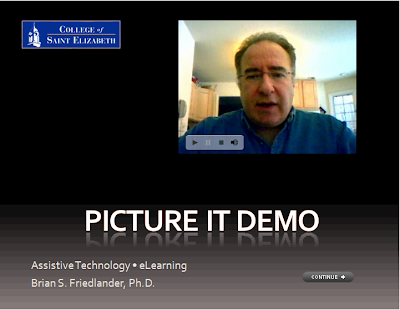 In my last post I shared with you how to insert a Flash video (FLV) into your Captivate 3 projects. Today I want to show you the final product so that you can see how it turned out. I have set the video to automatically start to play when it comes into view. You will need to click on the Continue button to go to the next screen. Enjoy!
Adobe Presenter 7- Making eLearning Come to Life
While attending the NECC 2008 Conference this summer, I had the opportunity to sit through several of the Adobe presentations to see what new applications were on the horizon. Adobe was tauting their latest application called Adobe Presenter 7 which is a plug-in to PowerPoint. I would like to thank Roman from A & R Edelman for providing me with a review copy of Adobe Presenter and for his support. In a nut shell, Adobe Presenter 7, lets you convert your legacy PowerPoint applications into a Flash based presentation or PDF file. That being said, there is a lot under the hood of Adobe Presenter 7 which can turn your PowerPoint slides into a dynamic eLearning environment complete with video, navigation, attachments, quizzing, and audio. PowerPoint 2007, Adobe Presenter 7 installs a new Ribbon with all of the features. Adobe Presenter 7 is part of Adobe Acrobat 9 Extended version. Using the Help menu it was rather easy to build my first Adobe Presenter 7 presentation which included video, Flash based video tutorials that were authored in Captivate 3, and audio. Using a webcam I was able to include a video of myself introducing my company and services, which gave my piece a nice touch. Adobe Presenter 7 allowed me to customize the look and feel of the final project and even let me include PDF attachments which can make this a great way to deliver eLearning material on the web.
Having created Flash based software tutorials in Captivate 3, I could easily embed them in my PowerPoint slide presentation with complete control of how they behaved with the controllers. When thinking of the future of training, I for one am very excited by the fact that I can now embed Flash based videos directly into a PDF file which can be viewed with nothing other that the free Adobe Reader 9. This is a new feature with the release of Adobe Acrobat 9 this spring. Think about that for a moment. That is very powerful! With nothing more than Adobe Acrobat Reader 9, your students or clients will be able to take advantage of video and audio with the confidence it will just work. As long as you have Flash installed on your computer you can be sure that your presentation will deliver the content. According to the surveys more than 98% of all computer users have Flash installed. This is very exciting for me just thinking of all the possibilities of building engaging and interactive environments for others to learn new skills.
In the presentation that I created you will see how all of these elements have come together. I was able to include video from my webcam, audio from a lapel microphone, and Flash video tutorials, along with some training PDF files. What I'm most impressed about the product is just how well it wraps everything up and when you are finished you get a very professional looking presentation to share with the world. I found Adobe Presenter 7 easy to learn to use and without so much as a manual I was creating this highly interactive eLearning materials. Adobe Presenter 7 is a wonderful integrator, helping you to bring all of the pieces together to make for an exciting and interesting elearning experience. I for one really enjoyed putting this project together. Click here to view the presentation, right within your browser or if you want you can download the presentation as a PDF file here. The PDF file is 11 megabytes and will take a little time to download. This will give you some idea of the power of Adobe Acrobat in its current release.
 You will need to download Adobe Acrobat 9 Reader to view this presentation. Adobe Presenter 7 also allows you to create quizzes for the purpose of assessment, with a variety of different types of question formats that can be integrated into your learning management system (LMS). I will tackle this feature in another blog post later next week. You can download a trial version of Adobe Presenter 7 from the Adobe website.
 PowerPoint 2007, Adobe Presenter 7 installs a new Ribbon with all of the features. Adobe Presenter 7 is part of Adobe Acrobat 9 Extended version. Using the Help menu it was rather easy to build my first Adobe Presenter 7 presentation which included video, Flash based video tutorials that were authored in Captivate 3, and audio. Using a webcam I was able to include a video of myself introducing my company and services, which gave my piece a nice touch. Adobe Presenter 7 allowed me to customize the look and feel of the final project and even let me include PDF attachments which can make this a great way to deliver eLearning material on the web.
Having created Flash based software tutorials in Captivate 3, I could easily embed them in my PowerPoint slide presentation with complete control of how they behaved with the controllers. When thinking of the future of training, I for one am very excited by the fact that I can now embed Flash based videos directly into a PDF file which can be viewed with nothing other that the free Adobe Reader 9. This is a new feature with the release of Adobe Acrobat 9 this spring. Think about that for a moment. That is very powerful! With nothing more than Adobe Acrobat Reader 9, your students or clients will be able to take advantage of video and audio with the confidence it will just work. As long as you have Flash installed on your computer you can be sure that your presentation will deliver the content. According to the surveys more than 98% of all computer users have Flash installed. This is very exciting for me just thinking of all the possibilities of building engaging and interactive environments for others to learn new skills.
In the presentation that I created you will see how all of these elements have come together. I was able to include video from my webcam, audio
from a lapel microphone, and Flash video tutorials, along with some training PDF files. What I'm most impressed about the product is just how well it wraps everything up and when you are finished you get a very professional looking presentation to share with the world. I found Adobe Presenter 7 easy to learn to use and without so much as a manual I was creating this highly interactive eLearning materials. Adobe Presenter 7 is a wonderful integrator, helping you to bring all of the pieces together to make for an exciting and interesting elearning experience. I for one really enjoyed putting this project together. Click here to view the presentation, right within your browser or if you want you can download the presentation as a PDF file here. The PDF file is 11 megabytes and will take a little time to download. This will give you some idea of the power of Adobe Acrobat in its current release. You will need to download Adobe Acrobat 9 Reader to view this presentation. Adobe Presenter 7 also allows you to create quizzes for the purpose of assessment, with a variety of different types of question formats that can be integrated into your learning management system (LMS). I will tackle this feature in another blog post later next week. You can download a trial version of Adobe Presenter 7 from the Adobe website.
Subscribe to:
Comments (Atom)