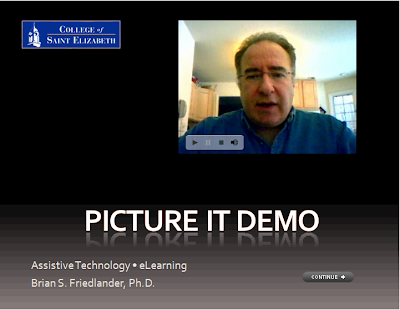
 In my last post I shared with you how to insert a Flash video (FLV) into your Captivate 3 projects. Today I want to show you the final product so that you can see how it turned out. I have set the video to automatically start to play when it comes into view. You will need to click on the Continue button to go to the next screen. Enjoy!
Showing posts with label Adobe Captivate 3. Show all posts
Showing posts with label Adobe Captivate 3. Show all posts
Captivate 3 Demonstration using Flash Video (FLV)
In my last post I shared with you how to insert a Flash video (FLV) into your Captivate 3 projects. Today I want to show you the final product so that you can see how it turned out. I have set the video to automatically start to play when it comes into view. You will need to click on the Continue button to go to the next screen. Enjoy!
Inserting Flash Video (flv) into your Captivate 3 Projects
 In addition to all of the rich interactive features that are included within Captivate 3 it is nice to know that you can insert video into your projects right within the application. In order to insert a video into your Captivate projects it must be in the Flash Video format (FLV). While playing around with Adobe Presenter 7, I found a way to use the web capture feature to record Flash Video with my webcam and wanted to share this tip with you.
If you have Adobe Acrobat 9 Pro Extended installed on your computer you will also have Adobe Presenter 7 installed which gives you access to this feature that I highlight in the screencast. Using this feature will enable you to add Flash Videos to your projects which can go a long way to teaching someone a skill within your Captivate 3 project. Once you have the video saved in the FLV format it is very easy to insert it into your project, as you will see. So click here to view the screencast. Enjoy!

Adobe Certified Expert in Captivate 3
 For the past month I have been soaking up every bit of information that I could find in preparation for taking the Adobe Certification Examination for Adobe Captivate 3. What better way to master the program than to jump right in and use it day in and day out, which is what I did. The Adobe Captivate 3 Certification Test consisted of 62 questions pertaining to different aspects of the program. If you go on the Adobe website they do breakdown the various topics that will be covered on the exam and even give you 10 sample questions to show you what you can expect. The exam is administered through Pearson and I took it in a designated Computer center about 30 minutes from my home. The Adobe Certification examination is administered on the computer and was very easy to navigate and to review questions. Some of the questions had picture exhibits which were very easy to access. Of course what was nice was that once I finished the exam-I received my results almost instantaneously. I did pass with flying colors and you will see that I can now place the Adobe Certified Expert in Captivate 3 logo on my blog.
In addition to using Captivate 3, I did find a couple of resources that were indispensable in
 preparation for the test that I would like to share with you. One of the first books that I purchased was Essentials of Adobe Captivate 3 by Kevin A. Siegel. This workbook takes you step by step through the process of putting a project together and helps you to understand the basic concepts and ideas on how to best use Adobe Captivate 3. Using this workbook, you will get up to speed quickly as you move through the project. A CD with project files accompanies the workbook which makes it very easy to apply the skills that you are developing. This is a must for first time users of Captivate 3.
The second reference book which I relied on in preparation for the examination was Adobe Captivate 3: The Definitive Guide (Wordware Applications Library) by Brenda Huettner. This guide
 proved to be more like a manual and really went into in depth on all of the topics that would be covered in the exam. As a reference guide this book was really fantastic and I was able to quickly use the index to look up information as I was studying for the exam. I must have read this reference guide 3 times from cover to cover in preparation, and it really paid off. If you are preparing for the Adobe Certified Examination for Captivate 3, I would highly recommend that you consider these two wonderful resources.
So if you are looking to do some internal training of your staff and need someone to help you develop your materials- I know an Adobe Certified Expert in Captivate 3 that is ready to help:-)
Subscribe to:
Comments (Atom)