Pages

Showing posts with label Kindle. Show all posts

The Summit 3000 from MyCharge to the Rescue

While having an iPhone 4S has made me much more productive, it seems that wherever I am, I am always looking to plug it in for a quick charge. One of the downsides to owning an iPhone4S is the battery life-make no mistake about that. If I'm traveling and away for the office it not unusual for my iPhone 4S to be down around 10%  by the end of the day. That is where an external battery charger come into play. I recently had a chance to review the Summit 3000, from MyCharge which is a 3000mAh Rechargeable Power Bank and have to say it did a great job of keeping my iPhone fully charged while I was on the road. According to MyCharge, the Summit 3000 will give you 13 plus hours of talk time and 10 plus hours of Browsing on your smartphone.

The Summit 3000 is about the size of the iPhone 4S only a little thicker. What is unique about the Summit 3000 is that all the connectors are built-in so there is no need to worry about toting your cables with you. The Summit 3000 comes equipped with the 30 pin Apple Connector, Micro USB and a full sized USB Port.The Summit 3000 is extremely well designed and pleasing to the eye and feels good holding it your hand. The Summit 3000 can be easily and quickly charged with the built-in ultra-fast wall charger. To check the battery level of the Summit 3000 simply press the button on the front panel and an array of five LED's will light up and the Summit 3000 will announce using text to speech the battery level- nice feature!  Once fully charged you can charge up to three devices at once making this ideal if you own other electronic devices in addition to the iPhone.

In my tests I was able to charge my iPhone 4S which was at 50% charge in two hours. After I had charged my iPhone 4S to full capacity, I checked the Summit 3000 which still had 50% charge, which meant that if I needed to I could have gotten another nice charge out of the battery. I also tested the Summit 3000 with my Kindle PaperWhite which was down to 50% and it took about hour and half to charge it to full capacity using the Summit 3000.

The Summit 3000 is an ideal rechargeable battery bank that can be used to charge not only your iPhone but your iPad and tablets as well. I know that from here on in, I will not leave my home without my Summit 3000 in my case. MyCharge makes a full line of rechargeable batteries with real innovative features- but having the built-in cords makes it an ideal battery for the  person on the go. So now, I always have my Summit 3000 in my bag wherever I go,  and have the confidence knowing that my iPhone and electronic devices can be easily charged when I am on the go. Go to MyCharge to take a look at the full line of rechargeable battery banks.

LabQuest 2 from Vernier- Connected Science System

It has been a couple of years since I last reviewed the Labquest from Vernier, so when I was able to get my hands on the LabQuest 2, I was really excited to find out about all the new enhancements in this new handheld connected science system. The LabQuest 2 is about the size of large cell phone with a high contrast screen that is powered by a high capacity rechargeable Lithium battery. The Labquest 2 has a great design and feels very solid in your hands as you use the device. The high resolution touch screen is great for viewing when you are using it outside in the field. Vernier did not skimp on the processing power in this device and you will find it very responsive when you are collecting or analyzing data on the device. The LabQuest 2 supports all of the Vernier sensors making it easy for schools who have invested in their devices and probes. The LabQuest 2 now includes both WiFi and Bluetooth which opens up all kinds of possibilities which I will discuss later in the post. Additionally, the LabQuest 2 has built-in accelerometers as well as GPS which can be utilized with other sensors for recording such data. I should mention that the LabQuest 2 is compatible with both Mac and Windows computers.


LabQuest 2 Screenshot
But no matter how good the hardware is-how does the LabQuest 2 hold up when in use? This is where this device really shines! Teachers will find that the LabQuest 2 is a dream to use-just plug in the sensor which will be automatically detected by the LabQuest 2 and press the Collect button to get started. Instantly students will be able to see their data being displayed on the screen. Once the data is collected students can spend their time using the analytic tools built in or transfer the data to a computer. Teachers can also have students email the data, graph, or screenshot directly from the LabQuest 2, that was captured, which makes it easy to include in a lab report. The LabQuest 2 supports analysis with linear and curve fits and allows students to record their notes on the device, with the on-screen keyboard. Teachers will enjoy the fact- knowing that the LabQuest 2 comes with over 100 experiments that are pre-loaded on the device which students can access. If teachers would like to customize the labs, Vernier has a handy Lab Creator Tool that is available to teachers that allows you to tweak the lab to your liking. 


Vernier Data Share on iPhone 4S
In this age of bring your own device (BYOD) Vernier has taken this model to heart and created the "connected science system," allowing anyone with a browser to view and interact with the collected data. This enables students with iPhones, Android Phones, iPod Touches, and iPads, to launch their browser and view the data live as it is being collected. All the students need to to do is go to their Settings and make sure that their device and the LabQuest 2 is on the same wireless network. Now simply launch the browser and enter in the IP address or name of Network and voila you are ready to view the data being collected in real time. I have tested various browsers, using my iPhone, iPad, and Kindle Fire with the LabQuest 2 and in each case the data was instantaneously available for me to preview in real time. For a richer set of tools, teachers can purchase the Graphical Analysis for iPad app from the App Store.

With the LabQuest 2, Vernier has transformed the way teachers need to think about teaching science in the classroom and provided them with an easy and powerful solution for capturing data in real time. Utilizing their "connected science system" with the LabQuest 2 it is now possible to extend their set of tools to students, so that they can collaborate in real time-by simply launching a browser. For teachers that want to create more interactive science lessons and give students the opportunity to collect data the LabQuest 2 is certainly an outstanding tool you should include in your classroom. Giving students the opportunity to both visualize and analyze data is at the heart of science and what better way to make it hands-on than with the LabQuest 2. For ore information about the LabQuest 2 you can click here.

If you are considering using the LabQuest 2 in your classroom Vernier will be offering free 4 hour workshop sessions in the Fall. For more information about the workshops click here.

The Kindle Fire: Fully Loaded If A Little Fuzzy


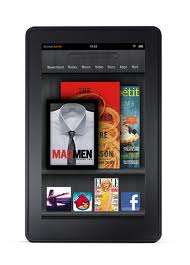
The Amazon Kindle Fire was released on Nov. 15, and shocked consumers with its $199 price tag. It seems like most of the rhetoric around the device has been its price, and while that certainly is a huge part of its success, it also has some pretty spiffy features.

I have a Fire and I've compared it to a friend's Barnes and Noble Nook and in just about every unscientific test, the Fire came out ahead. First of all, it feels great in the hand. It's a solid device that doesn't feel like you will break it in half if it gets roughed up a bit. The sleek edges feel like they could be an Apple product but they won't cost you an arm and a leg like some of that company's products.

The Fire also has a great app store. The Amazon App Store has thousands of apps with tons being added daily. The Free App of the Day feature is a really great benefit as well. I recently downloaded the My First Puzzles app after it came on the App of the Day and my little nephew has probably been using the device as much as I have lately. The free app offerings are a great touch.

In addition to apps, Amazon's Prime service is great for streaming movies, TV shows and borrowing books for free. The $79 subscription fee is a little steep but when you consider that there are more than 10,000 movie and television titles to be screened, the price seems almost insignificant.

The device is not without its drawbacks. There are the obvious points where it doesn't stack up to the iPad, like the lack of a camera or microphone but the Nook also bests the Fire in a few places. In a recent study by DisplayMate, the Fire was found to be twice as reflective as the Nook. The white balance also leaned a little to the yellow side.

I have noticed that the Fire's display doesn't seem quite as crisp as my friend's Nook, but as long as I am able to see the screen clearly, which I certainly can — probably better than on my laptop — I'm a happy camper. The Fire is a great device if you can get over the relatively poor display and at $199, it won't burn up your savings.

Margot is a technology writer and self-professed expert on how to get a deal using a Dell coupon

Five Questions to Ask Before You Buy a Dedicated eReader

I have been using eReaders for some time now and really enjoy the convenience and ease of use of these dedicated devices. In my travels to schools, I am beginning to see more and more schools pilot eReaders in the classroom, especially for students who struggle or who are unmotivated to read. Teachers see the value of students being able to change the size of the font and easy access to the dictionary feature. For many students who struggle in reading many are now more motivated to read on an eReader device as compared to a traditional book. Students can also peruse the Electronic Bookstore and of course with teacher permission download sample chapters from books to see if it will pique their curiosity to engage them in the reading process. But before you go out and purchase an eReader here are some questions you should think about:

1) Do I have access to WiFi in my school or building?

Many of the eReader's support WiFi as well as 3G which will enable you to download books directly to the device without the need to use a computer. If your school has a good WiFi infrastructure then you can save a considerable amount of money by buying the WiFi model of the eReader. For example the  Amazon Kindle Touch with WiFi is $99 dollars compared to the Amazon Touch WiFi/3G model which is $149  dollars. If your schools doesn't support WiFi then you should consider the Kindle Touch WiFi/3G model which would allow you to download books over the air using the 3G network. There is no extra data costs associated with using the Kindle Touch WiFi/3G model for downloading books to the devices.

2) How long can  I expect my dedicated eReader to stay charged?

Many of the dedicated eReaders that utilize E Ink technology can stay charged for long periods of time under normal use. The E Ink technology mirrors that of a traditional page and uses minimal battery life to render the black text on a white background. eReaders like the Kindle Touch and Nook that utilize E Ink technology can stay charged for up to 2 months- which is really incredible if you will be using in a school setting. eReaders that utilize E Ink technology assume that you will be reading the book with a lot of ambient light available.

3) Where can I purchase my books?

All of the major re-sellers of eReaders like Amazon, Bares & Noble, & Kobo provide the user with one stop shopping in their online book store. The online bookstore can be accessed from the devices and books can be quickly downloaded to the devices over WiFi or the 3G network. If you are purchasing books for a school you should investigate getting a corporate or school account with the companies so that you can purchase books with a school Purchase Order

4) Can I read other materials beside books on the dedicated eReader?

In addition to books many of the eReaders also support reading magazines, newspapers, blogs as well as your own personal documents in various formats ie. PDF & Word. When you purchase an Amazon Kindle you are provided with unique email address that you can send Word or PDF documents to, which can be delivered to your Kindle over the WiFi network. This feature is handy for students who want to read their documents on their eReaders

5) How important is having audio and Text to Speech capabilities on my eReader?

While eReaders are great for reading books some eReaders like the Kindle Keyboard and Kindle Touch also support playing audio books from Audible.com as well as reading text on the screen if the Text to Speech capabilities have been enabled by the book publisher. For students with reading disabilities or for those who struggle to read having the text to speech capabilities is a great feature.Likewise, being able to listen to a professionally narrated book from Audible can be very motivating for students who need to reengage with text.

I hope these questions and answers have provided you with some food for thought when you are planning to purchase eReaders. If you have any questions about eReaders, please feel free to email me. If you are interested I am available to run workshops on using eReaders in the classroom.


Waiting for Kindle Fire to Land

When Amazon announced the Kindle Fire in September, I quickly pre-ordered the device knowing that it would be a big seller. If all goes well I should have the Kindle Fire in had some time tomorrow so that I can share that experience with you. I have been using a Kindle for some time now and really enjoy reading on the device and look forward to experiencing reading on the Kindle Fire. Amazon relying on their Cloud Services has made it really easy to access my ebooks from the many devices that I use. As a company Amazon gets high grades from me for customer support and when my Kindle Reader arrives it will be registered and ready to use with my account. Amazon has done a marvelous job with the integration of their Whispernet network and I cam looking forward to a seamless experience with my Kindle Fire out of the box. More details in the coming days!

Amazon To Make Big Kindle Announcement this Wednesday

Jeff Bezos will take the stage this coming Wednesday at 10:00 am in NYC and will unveil the latest Kindle offering. From following the bloggers, it looks like we will see a 7 inch back-lit touch screen color Kindle that will be running a customized version of the Android operating system. The color Kindle will be positioned as a ebook reader very much like the Nook Color has for the past couple of years. However, the color Kindle will offer you rich media through the Amazon Store where you can download and play songs, movies and of course download your books. The color Kindle will support WiFi at this time and will come with a Browser giving you access to the web and the full range of Amazon Store services. What is really exciting is the price point that everyone n the web has been has been speculating about. Some have shared that they believe the new Kindle Color Reader will be priced below $250 dollars which will certainly get everyone excited about the potential for this tablet/ereading device. Having access to a color eReader like the Kindle Color with good performance and access to the web could certainly shake up the tablet market. So I know I will stay tuned to the announcement this Wednesday to find out all of the details. We certainly live in exciting times! So check back here next week for the Kindle Color update.

Kindle eBooks from Public Library are Now Available

One of the shortcomings of the Kindle platform is that it does not support the ever popular ePub format which made it next to impossible to borrow ebooks from the public library. But all that has changed and as of today, patrons of the public library can now take out Kindle eBooks which can be delivered over a WiFi connection or via a USB download.

I decided to give it a try and so I  logged into Overdrive and searched for my Public Library which was quickly found. I then logged into the digital library with my Patron Number and clicked in the Kindle books library which allowed me to search for a book. Once I found a book I wanted, I clicked on Add to Cart and when I checked out- I was redirected to the Amazon Kindle page where I could send it to my Kindle. Once I turned on my Kindle the book was automatically delivered over my WiFi connection and I was up and reading in no time. The process was fast and efficient. Having access to the eBooks from my Public Library  library will open up all kinds of possibilities now for reading adventures using my Kindle.

Emotionally Intelligent Parenting: How to Raise a Self-Disciplined, Responsible, Socially Skilled Child [Kindle Edition]

It was really exciting to learn today that my book that I coauthored several years ago-Emotionally Intelligent Parenting: How to Raise a Self-Disciplined, Responsible, Socially Skilled Child [Kindle Edition], Elias, Tobias & Friedlander  is available in a Kindle Edition and is ready to be downloaded. You will find the book easy to read with lots of timely advice, humor, and stories. If you have a Kindle you can click in the link below to download the book. Let me know how you like it.


Amazon Upgrades Kindle to System 3.1

For educators who are using the Kindle's in the classroom you will be glad to learn that Amazon has just upgraded the System Software to Version 3.1. With this upgrade you will get the most asked for feature, true page numbering that matches the printed version. This is a god send and one that I know academicians will enjoy as well when they need to create a citation. There is a lot more in this upgrade but having true page numbering that matches the printed text is really great. To get started with the the Upgrade click on this link which will take you to the Amazon page. Please note that if you prefer you can also upgrade your Kindle over the air via a wireless network.


Some of the features included in this update are:
  • Public Notes -- This feature lets Kindle users choose to make their book notes and highlights available for others to see. Any Kindle user -- including authors, their fans, book reviewers, professors and passionate readers everywhere -- can opt-in to share their thoughts on book passages and ideas with friends, family members, colleagues, and the greater Kindle community of people who love to read. This is a new way for readers to share their excitement and knowledge about books and get more from the books they read. To review and turn on Public Notes in your own books, view the Public Notes of people you follow, track your reading activities, see Popular Highlights and your annotations, and view your full library of books, go to https://kindle.amazon.com. Learn more.
  • Real Page Numbers -- Our customers have told us they want real page numbers that match the page numbers in print books so they can easily reference and cite passages, and read alongside others in a book club or class. We've already added real page numbers to tens of thousands of Kindle books, including the top 100 bestselling books in the Kindle Store that have matching print editions and thousands more of the most popular books. Page numbers will also be available on our free "Buy Once, Read Everywhere" Kindle apps in the coming months. As with all of Kindle's features, we want you to lose yourself in the author's words, so page numbers are only displayed when you press the Menu button. Learn more.
  • Before You Go ... -- When you reach the end of the book, you can immediately rate the book, share a message about the book with your social network, get personalized recommendations for what to read next, and see more books by the same author. Learn more.
  • New Newspaper and Magazine Layout -- We're introducing a new and improved layout for newspapers and magazines. This new layout gives you a quick snapshot of the news and helps you decide what you want to read first. Learn more.

What Would Happen if Reading Was More Social?

It is hard to imagine my world without books yet for many students this is their reality. From a young age I could always remember my love for reading. For many, reading is a very personal and solitary activity. But things are about to change. You see it is now possible using eReaders like the Kindle to share ideas and engage others in the books that you are reading. With so many students engaged in the use of electronic and digital devices we have seen that the amount of time students are reading books has plummeted. Yet we know from a recent study ( 2010 Kids & Family Reading Report-published by the Harrison Group) that many students reported that they would be very interested in reading an e-book on an electronic device. Devices like the Kindle are very appealing reading devices because of all the built in features. Many students will enjoy the ability to change the size of the font or use the text to speech feature to have the book read to them. But from my perspective the Kindle opens up all kinds of possibilities for making reading a more social activity.

Now for a moment imagine that all of your students in your reading class had Kindles and were reading the same novel on their eReader. You with me so far? On the Kindle it is possible for the students to set up their social networks like Facebook and Twitter which would allow then to automatically post text they highlight in the book as well as notes they have taken on a particular passage. If all of the students have Facebook and Twitter accounts they can simply log into their accounts and view what their friends have posted about the book. If students use a simple # hashtag when posting their notes then it would be possible to search their Twitter accounts to see what everyone has posted. Likewise students could use a service like Tweetchat and with the hashtag have real time discussions about the book. Students would need to have access to WiFi to accomplish this, but as we move forward being able to utilize social networking to engage students in the reflection and discussion of the books they are reading can be a tipping point to more fully engage students in the reading process.Bring social networking into the reading process may just be the factor that keeps students engaged and coming back for more. I would be interested in your perspective so please leave comment.

DAISYtoEPUB to Kindle 3

In a previous post I shared my experiences using the Kindle 3 which to date is probably the best selling eReader in the marketplace. I'm sure that the Kindle 3 will be on top of the list for gifts this holiday season with nearly every big box store carrying it. One of the reasons why I had decided to buy the Kindle 3 was that it was the only dedicated eReader that has built in text to speech. Working with a lot of students with reading disabilities I wanted to see how the Kindle could be used by them, to access their books with text to speech support. While a lot of the publishers at their discretion can turn off the text to speech component it is still exciting to think of all the ways students can access text using this device. Now imagine the ramifications of your students who have access to Bookshare being able to read their NIMAS books on their favorite eReader the Kindle. Well it is now possible and let me share with you how you can do this.

Just this week Don Johnston released a new application for the Mac and Windows called  DAISYtoEPUB that can convert DAISY (Digital Accessible Information System), NIMAS and Bookshare files to the popular ePub format.The ePub format is the most popular format for ebooks and is supported natively on the iPad, iPod Touch, iPhone, NOOK, and Sony Readers. If you are using the iPad, once the file is converted you can turn on VoiceOver and have the the book read aloud with the text to speech.

DAISYtoEPUB is extremely easy to use and within seconds the file is quickly converted. Once you have used DAISYtoEPUB to convert the file getting the books onto the various aforementioned devices is quite straightforward. This is not the case if you are using the Kindle. While the Kindle supports a number of different eBook formats, unfortunately it does not support ePub. However, not all is lost in the conversion. You see, using the free application Calibre, you can bring the ePub book into the Calibre library and convert it to the Mobi format which is in fact supported by the Kindle. Using Calibre you simply drag the ePub formatted book into the Calibre Library and using the Conversion tool save it as Mobi formatted file. From here I simply plugged my Kindle 3 into the computer and sent the file from the Calibre application to my Kindle 3. It really was that easy. Now when I opened my Kindle I had the NIMAS file in the Kindle and using the text to speech feature the Kindle could access and read the pages, complete with the graphics.

While it did take me a couple of steps to accomplish this - just imagine how useful a tool this can be for someone to be able to access their DAISY, Bookshare, or NIMAS files on a small and lightweight eReader like the Kindle 3. If you have any questions- please let  know . I would be interested in your comments. So if you have the chance take a look at the Don Johnston's latest application- DAISYtoEPUB.

Experimenting with the Kindle 3

Once I saw that the Kindle 3 with WiFi was launched for $139 dollars I had to get my hands on it to test it out. Early reviews of the Kindle 3 were stellar praising Amazon for the redesign and the feature set in such a  small and lightweight package. Many of the reviewers praised the new high contrast E ink screen as well as the sleek design. At 8.5 ounces the Kindle 3 can hold its charge for a month's time and store over 3,500 ebooks. Since the first Kindle was released I was impressed with the fact that it had built in text to speech capabilities which I thought would be a great reading tool for some of the students that I work with. Early on Amazon was challenged by a union of  professional narrators who felt that having text to speech capabilities in some way interfered with its members livelihood. Amazon did settle and gave publishers the right to have the speech disabled if they so desired. When you download books from Amazon you can see if the speech is enabled or disabled for a specific book title.

The experience of buying the Kindle 3 off of the Amazon website was fast and pleasant and I was offered the opportunity to apply for an Amazon credit card that when approved gave gave me credit to purchase the Kindle case. When my Kindle 3 arrived in the mail it was already registered and the screen prompted me to turn it on how to get started. There was even a personal note from Jeff Bezo's about my purchase and how I could provide feedback to Amazon about the Kindle 3. I used the Kindle for a couple of days and then realized that the power switch was defective. I called Amazon's Customer Service on a Thursday evening and explained what happened and by Saturday afternoon FedEx dropped off a new one. That was impressive service to say the least. Once my new Kindle 3 was turned on  I synced it with the Whispernet service and all of my books were downloaded and I was ready to enjoy reading. It is hard to believe just how thin and light weight the Kindle 3 is when you are holding it. Based on my experience of using the Kindle 2, the Kindle 3 definitely refreshes the pages much faster than the second generatoin Kindle and the screen is much brighter. Having the freedom to change the size of the font and spacing of text is a great feature and one that I have come to rely on. Turning on the text to speech is easy to do and you have access to male and female voice. You can adjust the speed that the text is being read and the page will automatically advance when it is being read. The speech engine is adequate for the job but is by no means a high quality speech engine experience.

The Kindle 3 does have a jack to plug in a headset or ear buds and there is a volume control rocker switch which makes it easy to adjust the volume level. Pausing the text to speech is easy enough by pressing on the Space key. The Kindle 3 is easy and enjoyable to use and for the price it is unmatched in terms of features and functionality. I for one am very impressed with the Kindle 3 and have enjoyed the experience of using it to read ebooks. It certainly gives those of us who work in the field of assistive technology another option when we are looking for tools with text to speech capabilities.

Kindle 2 to be Released February 24th

I'm sure many of you have been following the Kindle, since its release by Amazon.com. Well on February 24th Amazon is about to release the Kindle 2.0 which will include a number of enhancements and features that I though you might be interested in hearing about. I am excited to see that the Kindle 2.0 will include text to speech which will allow anyone to have the Kindle read the text to them. What a great feature for students with reading disabilities. With a library of over 23o, 000 books this will be a welcome addition to the world of assistive technology. The Kindle 2.0 looks incredible thin and with its new capabilities it may even be something that I will decide to purchase. With built in 3G wireless you can download books from just about anywhere. The Kindle 2.0 can hold over 1500 titles which is quite awesome. The Kindle 2 will cost $359 dollars. Here is a link for more information.
Here are some of the new features:
Slim: Just over 1/3 of an inch, as thin as most magazines

Lightweight: At 10.2 ounces, lighter than a typical paperback

Wireless: 3G wireless lets you download books right from your Kindle, anytime, anywhere; no monthly fees, service plans, or hunting for Wi-Fi hotspots

Books in Under 60 Seconds: Get books delivered in less than 60 seconds; no PC required

Improved Display: Reads like real paper; now boasts 16 shades of gray for clear text and even crisper images

Longer Battery Life: 25% longer battery life; read for days without recharging

More Storage: Take your library with you; holds over 1,500 books

Faster Page Turns: 20% faster page turns

Read-to-Me: With the new Text-to-Speech feature, Kindle can read every book, blog, magazine, and newspaper out loud to you

Large Selection: Over 230,000 books plus U.S. and international newspapers, magazines, and blogs available

Low Book Prices: New York Times Best Sellers and New Releases $9.99, unless marked otherwise