Pages

Showing posts with label smartphone. Show all posts

Interesting Uses of QR Codes for Educators

Many of us are used to seeing those familiar UPC Codes on products that can be scanned at the check out counters to look up the price and product name. While attending the DevLearn 09 Conference I came across another type of bar code called the QR Code. While I had seen them in different venues I did not at first grasp how they might be used during a conference or in an educational setting. At the DevLearn 09, QR Codes could be found on the signage of every workshop that when read by a QR Reader on a smartphone would take you to a web site for additional information about the presentation. While QR Codes have been popular in Japan, they are just beginning to gain popularity in the United States and Europe. I obtained this information from Wikipedia about QR Codes which I though would be of interest to you:

A QR Code is a matrix code (or two-dimensional bar code) created by Japanese corporation Denso-Wave in 1994. The "QR" is derived from "Quick Response", as the creator intended the code to allow its contents to be decoded at high speed.

QR Codes are common in Japan, where they are currently the most popular type of two dimensional codes. Moreover, most current Japanese mobile phones can read this code with their camera.


With the rise in the number of smartphones (Android, iPhones, Blackberry) in use, QR Codes become a great way for "tagging" physical information that links to a URL. With a QR Reader installed you can simply point your camera phone at the QR Code and be instantly taken to a website to provide your viewers with additional information. You can embed text, RSS feeds, and URL's in a QR Code. Imagine printing the code on lectures, notes or study guides so that your students can be supplied with supplemental information. Or how about adding QR codes to physical objects in your environment and have your students learn more about the topic. The use of QR codes are endless! So give it a try and let me know what you think. So download a QR Reader to your smartphone and give this QR Code a try! To generate and print out a QR code go to the Kaywa website. So point your smartphone camera at the QR Code below to see what happens!

One Sentence Summary Created with Context Organizer With a QR Reader installed you can simply point your camera phone at the QR Code and be instantly taken to a website to provide your viewers with additional information.
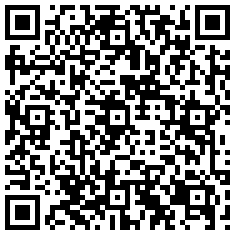

qrcode


MoFuse for Mobile Learners


With all of us on the go it is nice to be able to read our favorite blogs on our smartphones-but sometimes this presents a problem when the blog has been formatted for a desktop or laptop computer. This is where Mofuse comes to the rescue and helps you deliver your blog by reformatting your content for your smartphone. Within seconds I was able to register my blog with Mofuse and have my blog ready for a mobile phone experience. To see what the Assistive Tek Blog looks like on your smartphone click here. If you have a blog that you would like to reformat just go to Mofuse.


http://assistivetek.mofuse.mobi/