Without a lot of fanfare Matchware has recently released MindView 5, one of the leading mind mapping tools in the marketplace. Matchware, taking the lead from its customers, spent a great deal of time improving on the feature set of MindView in this current release. MindView 4 users will feel right at home using the latest version, knowing that the core of the product didn't change all that much. While some of the changes are rather subtle, make no mistake about it, they add a great deal of value to the existing application. While I intend to do a more in-depth review of the recent release, I want to highlight a couple of features which make the latest release of MindView 5 a great tool for students and those with disabilities.
Matchware over the years has made inroads with their mind mapping products to schools and has always had a keen interest in meeting the needs of students with learning disabilities. It is not everyday that a company considers incorporating the principles of Universal Design and Matchware should be applauded for including text to speech support, audio notes and a high contrast design for viewing the mind map on the screen. MindView 5 gives students access to wide array of views that can quickly be changed. Students can easily go from a mind map to an outline or to a timeline with a click of the mouse making it easy to visualize the information in many different ways.
Matchware has included a new feature in MindView 5 that lets users search the WorldCat catalog and insert a citation right within the mind map. The WorldCat catalog has million of entries and is a great tool for searching for articles that can be used for doing a research paper. Once you have used the WorldCat catalog and entered a citation you can then export your mind map and have MindView 5 automatically format your bibliography into one of the many standard outputs; notably APA, Chicago, MLA, Harvard, and ISO690. Having access to the WorldCat catalog right within MindView 5 really plays to the strength of MindView and its exceptional ability when exporting formatted Microsoft Word documents. I for one have come to rely on MindView to create RFP's and structured documents when I am delivering my proposals. When exporting MindView 5 mind maps to Word, the structure of the output is really exceptional and giving the end user the ability to navigate the document with the clickable table of contents works really well. When I prepare my proposals with MindView I often get great comments and my readers are impressed by how succinct and to the point my proposals are.
So if you like, give MindView 5 a try by clicking here for a free 30 day Trial
Showing posts with label mindview 4. Show all posts
Using Mindmaping Tools in the Writing Process
Over the years I have written countless articles about how I use mind mapping in the work that I do, but one of the areas which may be overlooked is in the writing process. As part of my consulting business I am often asked to write project proposals for new work as well as status updates on projects that I may be working on. While man of us may be inclined to open up Microsoft Word and start writing, I have always found it easier to structure my thoughts using mind mapping software.As part of the process, having the ability to brainstorm what I am going to include is a natural using mind mapping software. Having the ability to move my ideas around the mind map helps me to organize my ideas and structure the content that I will include in my final report. Once I have completed the brainstorming phase, I move the ideas around the map until I am satisfied with the content. Next, I begin to attach notes to my topics to flesh out my ideas. The notes will serve as the content for my report once I have exported the mind map into a Word document. After adding notes to each of the ideas in my mind map, I am now ready to utilize the export feature to Microsoft Word- which quickly generates a structured proposal or status report. Many of the leading mind mapping applications allow you to export directly to a PDF file format. I prefer to first export the report to a Microsoft Word document first so that I can make any final edits and changes before converting it to a PDF file.
Utilizing mind mapping tools to help generate and structure the report gives my proposals and project updates a unique look and feel that sets me apart from other consultants. The cover sheet of my report includes the mind map along with a table of contents which allows the reader to easily navigate to a specific page in the proposal. Once my report is in Microsoft Word, I generally convert it to a PDF file for my client which ends the process. I might add, that for my final touch, I have been using Adobe Acrobat SendNow service to send my finished proposals which gives me the added feature of being able to track that it was received. So if you are looking for a way to help structure your writing then reexamine how you can use mind mapping software for this purpose- you will be glad you did.
NoteControl - Taking Charge of Your Resources
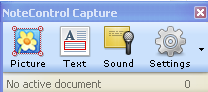
With information coming at us at a frantic pace it is no wonder that we can quickly become overwhelmed. This is especially true for students who have a need to curate their notes and sources when writing research articles. Life was a lot easier for me when I was in school, there were simply books and journals, that I used to cite my works. Today students are faced with the myriad of Internet sources, books, journals, podcasts, and multimedia to keep account of when doing research. In this light, Matchware, recently released a new product NoteControl aimed at students to help them collect, collate, and sort notes when doing a written research paper. The coup de grace is the ability of NoteControl to output a perfectly formatted bibliography in many accepted and recognized formats (ie APA, MLA, Harvard to name a few.).The premise of the program is quite simple-you create a notebook and then use the space to capture all of your notes which can include: Text, Picture, Sound, and Web notes. NoteControl allows the user to create a Folder structure to organize your notes and it is easy to move Notes that you capture from one folder to the next. For example, if you want to create a citation for text from a web site, you can simply go to the web site and highlight the text you want to use and then Click on the Text Note icon. This will bring up a note card with the text automatically included- you can change the name of the note card and once you click the Accept button your noted will be stored along with the source.You can use the same technique to capture graphics from websites or store needed files (Word, PDF's) for your research project. If your computer has a microphone it is easy to store audio notes in your notebooks from within NoteControl.
After you have collected your notes and resources NoteControl really shines when it is time to export all of your notes and create your bibliography. With one click of the mouse NoteControl lets you export your source listing, notes and bibliography directly to Word. NoteControl will export your notes and bibliography to any one of several formats including APA, Chicago, and MLA styles. The bibliography is perfectly formatted saving you the time an effort to manually recreate it once your paper is completed. You will find NoteControl an easy to use tool that is ideal for high school and college students who are writing research papers. As students begin to utilize more and more Internet resources they will find NoteControl and ideal tool to take charge and organize their resources for use in their papers. For those students who have access to MindView 4 and want to see their notes and resources in a mind map you can export them directly from NoteControl. Overall, NoteControl is an easy to use program that delivers on its promise to provide students a way to organize, sort and curate notes for research papers and projects. A one year subscription to NoteControl is prices at $49 dollars and at this time is only available for computers running Windows OS. There is a trial version of NoteControl available for student to try out which I would highly suggest. At $49 dollars for a year, NoteControl is good value and another tool that you should have your students take a look at to help tame the paper tiger when it comes time to write that research paper. It would be great if Matchware could add Text to Speech (TTS) supports within NoteControl for students that benefit from this type of support. NoteControl also allows students to work on collaborative projects across the web which adds value to this fine product. Give it a try and let me know what you think.
MatchWare Launches MindView 4 Mac, Mind Mapping Software for OS X Lion
Today MatchWare (http://www.matchware.com) announces the release of MindView 4 Mac, a professional mind mapping software ideal for optimizing brainstorming sessions, creating visually driven presentations and displaying project plans in an easy-to-overview timeline. Thomas Henriksen, MatchWare’s Product Manager, explains, “Our user feedback was very clear, Mac customers want a professional mind mapping tool to visually overview ideas and improve communication, collaboration and innovation. MindView 4 Mac provides the professional feature set to drive productivity through seamless integration with Microsoft Office and a cutting-edge presentation mode that ensures brainstorming, organizing and presenting ideas has never been easier.”
The enhanced Microsoft Office integration and ready-to-use templates enable users to effortlessly export their mind maps as professionally formatted Microsoft® Word documents and PowerPoint presentations. With 7 dynamic viewing options including a timeline, new map styles, and innovative presentation options, MindView 4 Mac continues to take mind mapping to the next level. Additional new features include a new formatting toolbar, the ability to record audio commentary as a sound note and attach the file to a mind map branch, open MindView 4 for PC files and the option to export a mind map as a PDF.
MindView 4 Mac’s new presentation mode displays information one branch at a time, enabling users to deliver dynamic, interactive presentations directly from the mind map. Focus mode empowers users to zoom-in on specific areas of the map, allowing participants a clear view of the specific information presented. MindView 4 Mac enables users to customize the placement of branch pictures; further enhancing the capability to provide clear, visual displays to improve the understanding of complex topics.
“I have tested MindView 4 Mac on OS X Lion and the new Presentation Mode and Focus Mode are extremely helpful when presenting my mind maps during meetings. I like the fact that the Focus Mode lets me zoom in automatically on branches in a non-linear way so people in the back of the room easily can see and contribute to brainstorming sessions,” says Frans Merrild, C.E.O of Tell-It Online.
MindView’s unique Timeline view delivers a powerful, visual overview to improve any project planning process and enhance the study of historical and future events. By adding dates or times to the mind map branches, users can simply switch to the Timeline view to instantly display information on a horizontal time axis.
MindView 4 dramatically improves the ability of professionals to capture and share information in one click from a mind map to Microsoft Office, a timeline, a PDF document or a HTML website. Mac users now have a professional productivity tool for turning ideas into action plans.
MindView 4 Mac is available for purchase at http://www.MatchWare.com and the Mac App Store for the upgrade price of 149 USD or 249 USD for a single user license. For more information about MindView, visit http://www.MatchWare.com or follow us on Twitter and Facebook. Contact us for multi-user and educational discounts.
About MindView
MatchWare MindView is professional mind mapping software that allows you to optimize brainstorming sessions and present ideas visually. MindView's mind mapping capabilities provide an effective way to organize and develop ideas, outline reports, and streamline decision making. MindView’s visual hierarchy and professionally designed export templates convert your mind map into a polished presentation with the click of a mouse. Brainstorm topics, storyboard presentations and enhance meeting discussions. Attach pictures and videos, take notes or add hyperlinks – everything will be included in your export.
About MatchWare
Founded in 1992, MatchWare is a leader in intuitive Mind Mapping and multimedia authoring tools for enhancing individuals’ ability to create, visualize, manage and distribute information. The company’s award-winning software packages, MindView, Mediator, and ScreenCorder, offer highly intuitive user interfaces and powerful features at affordable prices. Headquartered in Denmark, MatchWare has subsidiaries in the UK, the USA, Germany, France and Sweden.
The enhanced Microsoft Office integration and ready-to-use templates enable users to effortlessly export their mind maps as professionally formatted Microsoft® Word documents and PowerPoint presentations. With 7 dynamic viewing options including a timeline, new map styles, and innovative presentation options, MindView 4 Mac continues to take mind mapping to the next level. Additional new features include a new formatting toolbar, the ability to record audio commentary as a sound note and attach the file to a mind map branch, open MindView 4 for PC files and the option to export a mind map as a PDF.
MindView 4 Mac’s new presentation mode displays information one branch at a time, enabling users to deliver dynamic, interactive presentations directly from the mind map. Focus mode empowers users to zoom-in on specific areas of the map, allowing participants a clear view of the specific information presented. MindView 4 Mac enables users to customize the placement of branch pictures; further enhancing the capability to provide clear, visual displays to improve the understanding of complex topics.
“I have tested MindView 4 Mac on OS X Lion and the new Presentation Mode and Focus Mode are extremely helpful when presenting my mind maps during meetings. I like the fact that the Focus Mode lets me zoom in automatically on branches in a non-linear way so people in the back of the room easily can see and contribute to brainstorming sessions,” says Frans Merrild, C.E.O of Tell-It Online.
MindView’s unique Timeline view delivers a powerful, visual overview to improve any project planning process and enhance the study of historical and future events. By adding dates or times to the mind map branches, users can simply switch to the Timeline view to instantly display information on a horizontal time axis.
MindView 4 dramatically improves the ability of professionals to capture and share information in one click from a mind map to Microsoft Office, a timeline, a PDF document or a HTML website. Mac users now have a professional productivity tool for turning ideas into action plans.
MindView 4 Mac is available for purchase at http://www.MatchWare.com and the Mac App Store for the upgrade price of 149 USD or 249 USD for a single user license. For more information about MindView, visit http://www.MatchWare.com or follow us on Twitter and Facebook. Contact us for multi-user and educational discounts.
About MindView
MatchWare MindView is professional mind mapping software that allows you to optimize brainstorming sessions and present ideas visually. MindView's mind mapping capabilities provide an effective way to organize and develop ideas, outline reports, and streamline decision making. MindView’s visual hierarchy and professionally designed export templates convert your mind map into a polished presentation with the click of a mouse. Brainstorm topics, storyboard presentations and enhance meeting discussions. Attach pictures and videos, take notes or add hyperlinks – everything will be included in your export.
About MatchWare
Founded in 1992, MatchWare is a leader in intuitive Mind Mapping and multimedia authoring tools for enhancing individuals’ ability to create, visualize, manage and distribute information. The company’s award-winning software packages, MindView, Mediator, and ScreenCorder, offer highly intuitive user interfaces and powerful features at affordable prices. Headquartered in Denmark, MatchWare has subsidiaries in the UK, the USA, Germany, France and Sweden.
- MatchWare, MindView, MatchWare Mediator, MatchWare ScreenCorder are trademarks or registered trademarks of MatchWare A/S. All other trademarks and registered trademarks used in this document are the property of their respective companies.
MindView 4 Adds Audio Sound Recording
Matchware Inc., has added a number of new features to MindView 4, but one of my favorites is the ability to quickly record and idea and attach it to my mind map. You know there are times when you are brainstorming that the ideas are just flowing and what better way to capture it by simply doing a quick audio recording. To record audio in MindView 4 you simply click on the idea in your map and then click on the Insert tab and Click on the Sound icon. This brings up the Recording palette and you are then ready to record your ideas. Simple and elegant. Watch the video below to see just how easy it is to add an audio recording to your MindView 4 mind maps. To try out MindView 4 click here for a full working Trial Version.
MindView 4 from Matchware- Quick Thoughts About the Upgrade
Businesses that have invested in MindView 3 will feel right at home when upgrading to MindView 4. MindView 4 now sports the new Office 2010 interface which is both aesthetically pleasing and well organized. Moving about the program with the new Office 2010 interface is very intuitive and the functions are clearly organized to make it easier to use. MindView 4 has incorporated some new styles for your maps which are easy to apply and are aesthetically pleasing to the eye. It is much easier in MindView 4 to edit and format text and change the color of the branches. Likewise Matchware has made it very easy now to place your images on branches by simply dragging them to the location of your choice. You can now place your images on the top, right and left of the text within the branch. I am also enjoying the ability to attach an audio note to a branch which is a quick and easy way to capture my ideas. Matchware has also added the ability to export to a PDF file with different styles which makes it easy for me to share my maps for those individuals that don't own a copy of MindView 4. Exporting your mind maps to a PDF is fast and straightforward and the results are outstanding. The addition of the Presentation Mode is outstanding and one I know I will use more often when I use MindView 4 during the presentations and workshops that I often give. It is the little changes and the attention to detail that I feel really highlights this update and brings huge value to upgrading to MindView 4.Look for additional posts as I delve into this upgrade with a focus on collaboration and project management.. To give MindView 4 a try download a Trial Version by clicking on this link.
Matchware Announces Mindview 4
It just came to my attention that Matchware has announced MindView 4 which is chock full of new and exciting features. One of the hallmarks of this release is collaboration and the ability to share your MindView 4 maps in a shared workspace.This feature will certainly herald in new and innovative ways to use mind mapping in the work space. Matchware has also included some new formatting and styles that can qucikly be applied and there is now the ability to Export to PDF which looks interesting.I for one am looking forward to finding out first hand the ins and outs of what looks to me to be a fantastic upgrade. Hope to do a review soon!
Subscribe to:
Comments (Atom)