Once I saw that the Kindle 3 with WiFi was launched for $139 dollars I had to get my hands on it to test it out. Early reviews of the Kindle 3 were stellar praising Amazon for the redesign and the feature set in such a small and lightweight package. Many of the reviewers praised the new high contrast E ink screen as well as the sleek design. At 8.5 ounces the Kindle 3 can hold its charge for a month's time and store over 3,500 ebooks. Since the first Kindle was released I was impressed with the fact that it had built in text to speech capabilities which I thought would be a great reading tool for some of the students that I work with. Early on Amazon was challenged by a union of professional narrators who felt that having text to speech capabilities in some way interfered with its members livelihood. Amazon did settle and gave publishers the right to have the speech disabled if they so desired. When you download books from Amazon you can see if the speech is enabled or disabled for a specific book title.
The experience of buying the Kindle 3 off of the Amazon website was fast and pleasant and I was offered the opportunity to apply for an Amazon credit card that when approved gave gave me credit to purchase the Kindle case. When my Kindle 3 arrived in the mail it was already registered and the screen prompted me to turn it on how to get started. There was even a personal note from Jeff Bezo's about my purchase and how I could provide feedback to Amazon about the Kindle 3. I used the Kindle for a couple of days and then realized that the power switch was defective. I called Amazon's Customer Service on a Thursday evening and explained what happened and by Saturday afternoon FedEx dropped off a new one. That was impressive service to say the least. Once my new Kindle 3 was turned on I synced it with the Whispernet service and all of my books were downloaded and I was ready to enjoy reading. It is hard to believe just how thin and light weight the Kindle 3 is when you are holding it. Based on my experience of using the Kindle 2, the Kindle 3 definitely refreshes the pages much faster than the second generatoin Kindle and the screen is much brighter. Having the freedom to change the size of the font and spacing of text is a great feature and one that I have come to rely on. Turning on the text to speech is easy to do and you have access to male and female voice. You can adjust the speed that the text is being read and the page will automatically advance when it is being read. The speech engine is adequate for the job but is by no means a high quality speech engine experience.
The Kindle 3 does have a jack to plug in a headset or ear buds and there is a volume control rocker switch which makes it easy to adjust the volume level. Pausing the text to speech is easy enough by pressing on the Space key. The Kindle 3 is easy and enjoyable to use and for the price it is unmatched in terms of features and functionality. I for one am very impressed with the Kindle 3 and have enjoyed the experience of using it to read ebooks. It certainly gives those of us who work in the field of assistive technology another option when we are looking for tools with text to speech capabilities.
From Livescribe Desktop to Evernote
Today I learned of an exciting synergy between Livescribe Desktop Software and Evernote. Ever since I got my iPad I find that I been using Evernote more and more to store my notes and ideas. Working with the iPad makes you think about your workflow and having access to your notes and clipping wherever you may go. That is why I was so excited to learn about the ability of sending your Livescribe notes to Evernote from the Livescribe Desktop Software. So today I upgraded by Livescribe Desktop Software and gave it a try. The software worked as planned! Within minutes I was able to share my Livescribe notes and view them in my Evernote account. The the integration is seamless and easy to use. So give it a try and let me know what you think.
Presentation Tip with PaperShow for Teachers
As a presenter I know that there are going to be times when I need to share the URL's of web sites or other reference materials that my participants will need to go to. It certainly is a lot easier when this information is readily available and I don't have to spend the time writing it down for others to see. In this instance, what I usually do is open up PaperShow for Teachers and ahead of time- write down the information my participants will need to access on the flip chart notebook paper and then save the file to the USB key. This way when I am in my training session all I need to do is open the file and the information is there ready to be shared with everyone.Having this as a stating point is a great way to get right into the meat of the presentation and saves me time! Look for more tips on how to use PaperShow for Teachers in coming blog posts.
Latest Wordle
Every one in awhile I like to use Wordle to highlight what I am blogging about. Here is the latest Wordle.
Introducing Builder™ Research Paper Edition from Mead
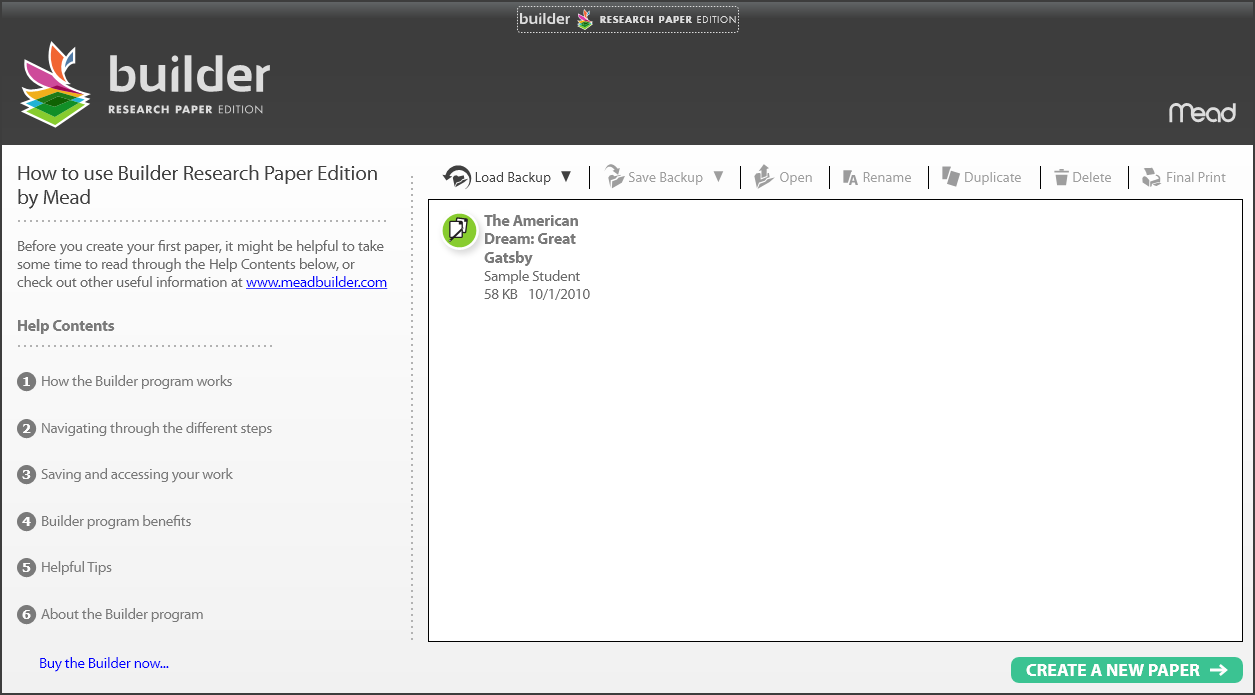
I am always on the prowl for new and innovative products that can make a difference in the life of students in our schools. This past summer I came across a new software product called Builder™ Research Paper Edition from Mead which is intended to help students in the planning and writing of research papers. Builder™ Research Paper Edition is intended for middle school and high school students and provides students with planning tools that one needs to write an effective research paper. For many students the thought of writing a well researched paper can be daunting. There is a great deal of planing, organization, note taking that must be accomplished in a timely fashion to get the research paper done. Builder™ Research Paper Edition from Mead walks students through the entire process and provides them with a great deal of feedback along the way. Builder™ Research Paper Edition ships on a USB drive and can be used on Windows and Mac platforms. The program is easy to use and one that you should take a look at. I am planning to do a more thorough review but wanted to give you the heads up so that you can take a look at it. Click on the video below to learn more about Mead Builder.
PersonalBrain 6 is Officially Released Today
Marina del Rey, CA – October 5, 2010 – TheBrain Technologies, the leading provider of dynamic visualization and knowledgebase software, announced its newest release, PersonalBrain 6, which augments PersonalBrain publishing and provides synchronization of Brains across multiple platforms and machines.
Like the human mind, with PersonalBrain, users can make associative connections so ideas and files can be related to anything else. There is no limit to the number of connections an idea can have. PersonalBrain’s highly scalable user interface and database enable a virtually unlimited amount of information to be stored and visualized in a digital Brain. PersonalBrain has been downloaded by over a million users. Over half of the Fortune 100 organizations use PersonalBrain to organize information, brainstorm, manage projects and communicate complex ideas more intuitively.
PersonalBrain’s context rich interface provides an intelligent platform for sharing large information sets. Business managers, researchers, teachers, hobbyists and users worldwide publish their brains online at http://webbrain.com. PersonalBrain 6 takes Brain publishing to the next level by enabling one-step synchronization to WebBrain.com. Now users can share, backup, and synchronize across multiple platforms for universal access to their digital thinking.
“With PersonalBrain 6 you can access your Thoughts and information from the cloud or desktop,” said Harlan Hugh, Chief Technology Officer of TheBrain. “But what’s really unique is the desktop synchronization so whether you are on the road or even offline you can still take your Brain with you. With encrypted data transfer users’ mission critical information can be safely and quickly synchronized across multiple computers.”
PersonalBrain 6 has over 100 new features and enhancements including:
- One Click WebBrain Publishing – Share your Brain with the world on WebBrain.com. Users can publish publicly, unlisted or privately. Send links to key Thoughts or areas in their Brain and track comments from the WebBrain.com community. Published Brains can be embedded in blogs or Web sites and are searched and indexed by all search engines.
- Secure Synchronization and Backup – Get access to your complete digital memory and knowledgebase anywhere. Synchronize your Brain across multiple machines, platforms and location. One step WebBrain publishing gives users and their coworkers instant access to information online or offline on the desktop.
- Increased Performance – Work at the speed of Thought with twice the navigation speed powered by an augmented database backend. PersonalBrain’s dynamic user interface enables one to visually navigate across all relevant information quickly and intelligently. PersonalBrain 6 makes digital Brains even faster and more reliable. This increased speed further enhances the ability to easily create Brains with hundreds of thousands of Thoughts while increasing productivity.
- Transparent Visualization – Connect your thinking to your work patterns. With PersonalBrain 6’s transparent mode users can float their Brains over top of their desktop or any application while still working. This revolutionary view enables Thought visualization to be seamlessly integrated with any activity.
· Windows Explorer Integration – Organize files and documents under multiple topics so you can move beyond linear file folder structures. With PersonalBrain 6 in addition to easy drag and drop of files, users can now right click on any file and use the “Send To” command to instantly add it to their Brain. Now, no file is more than two clicks away from your Brain.
· More Tools for Getting Things Done - Get complete task management and mental clarity by creating Thoughts for all key tasks and projects in your life. Action-oriented PersonalBrains enhance productivity. With PersonalBrain 6 users can gain control of projects and to-dos with checkbox lists in notes, a more powerful calendar, and Google calendar synchronization.
· Augmented Thought Type Visualization – Create key information types and tag information with a wide variety of attributes to further delineate information and contextualize tasks. PersonalBrain 6’s new Thought Type display lets you visualize relationships between types and centralizes management of types.
PersonalBrain 6 Pricing and Availability
PersonalBrain 6 is a complimentary upgrade to registered PersonalBrain 5.0 users who purchased after February 1, 2010. Upgrades are $119.95 for other PersonalBrain 5 users. Upgrades can be purchased online at http://www.thebrain.com/purchase
PersonalBrain 6 is offered in three editions: Free, Core, and Pro (the most powerful edition). PersonalBrain Free is offered at no charge. The Free edition does not expire and lets anyone link ideas and Web pages on their desktops. Pro and Core editions are priced as follows: PersonalBrain Pro $249.95, PersonalBrain Core $149.95.
PersonalBrain 6 is cross platform and runs on Windows, Mac OS and Linux machines and is available in 7 languages. English, German, French, Chinese, Japanese, Spanish and Dutch.
WebBrain Services Pricing
WebBrain.com is a hosting service for PersonalBrain users. You can share your Brain online or browse other published Brains at http://webbrain.com.
WebBrain Free Services – Users can publish Brains for free with WebBrain Free Services which includes:
§ Publish Brains to share with the world
§ Unlimited Thoughts including support for Web link attachments
§ Brains can include Thought images/icons, notes, custom colors, and wallpaper
§ Brains cannot include file attachments
§ Upload as many Brains as you want
WebBrain.com Premium Services – Enables users to securely synchronize their Brain across multiple machines and publish publicly or privately. This service includes all types of file attachments – up to 50 MB each
§ Use your online Brain as a back-up – you can download it whenever and wherever you need offline access to it
§ Upload as many Brains as you want – up to 10 GB total
§ Subscriptions are $7.95 monthly or $74.95 annually.
About TheBrain Technologies
TheBrain® Technologies helps people see, share and find information faster. TheBrain’s Enterprise Knowledge Platform, BrainEKP™, provides a complete knowledge management solution for companies that includes visual search, content management and powerful access control for mass Thought collaboration. TheBrain’s PersonalBrain™ Software helps users organize and capture ideas, projects and information on their desktops and synchronize their digital knowledge hubs online or to any machine cross platform.
Over half of the Fortune 100 use TheBrain, now downloaded by over a million people. TheBrain’s Government customers include the Department of Defense, Navy Special Warfare, as well as multiple state and municipal organizations. Everyone is encouraged to download PersonalBrain at http://www.thebrain.com to visualize their thinking or e-mail info@thebrain.com for more information.
TheBrain, PersonalBrain, BrainEKP and WebBrain are trademarks or registered trademarks of TheBrain Technologies LP. All other corporate names or trademarks stated herein are the property of their respective companies. Copyright © 2010 TheBrain Technologies LP.
Tri-State Educational Technology Conference (TSETC)
Tomorrow I will be presenting at the The Tri-State Educational Technology Conference (TSETC) in New Milford, NJ. It looks like it is going to be a great conference and if you are attending it would be great if you could stop in at my session: New & Innovative Assistive Tech Tools. I have created a mind map of the tools I will be talking about with links. So please stop by and say hello!
Hope to see your there!
Subscribe to:
Posts (Atom)