Pages

Jing Pro Released


If you have been a Jing User you will be happy to learn that TechSmith has released Jing Pro today for only $14.95 a year. So what do you get with the release of Jing Pro:

So, what's new with Jing Pro? Betsy Weber, TechSmith's Chief Evangelist sums it up

  • YouTube support. You can upload a video to YouTube directly from Jing. Jing also gives you the link to your video.
  • For screencasts, in addition to the SWF file format, Jing Pro now offers a H.264/MPEG-4 AVC format video option. Without getting too technical, this format excels at capturing video with a lot of motion, is much more suited for editing, and is supported on YouTube. And, for those of you who have been wanting to tweak your Jing videos, you can now import them into Camtasia Studio 6 or iMovie to edit, merge or anything you want.
  • Branding removal. At the end of a Jing Pro-produced video, there is no Jing logo and branding.

You can upgrade to Jing Pro for $14.95 a year. And, we're not forcing you to upgrade to Jing Pro. The free version of Jing is still available complete with complimentary hosting on Screencast.com (2 GB of storage and 2 GB of transfer bandwidth per month). And, we also have free tech support for both Jing and Jing Pro. There is a great Help Center for Jing that is full of tips and tricks.

Quick Screensharing Session with Glance

This morning I had the opportunity to touch base with Chance Brown from the Mindmap Blog to show him some of the advanced features in Context Organizer. This was a rather impromptu screensharing meeting and so last night I sent him a link for him to click on so that this morning we could be off and running. For the past several months I have been using Glance to do screensharing and for some of the webinars that I do. With this as a backdrop, I called Chance at the designated time and with one click he was viewing my screen. As I went through demonstrating some of the advanced features in Context Organizer, Chance remarked just how easy it was to connect and concentrate on what I was presenting. Chance to say the least, was really impressed with the feature set in Context Organizer as I demonstrated how it could be used to summarize a web site as well as doing searches within Google on various topics that were also summarized. Similalry, he was really taken by the Glance session and commented just how easy it was to use for what we were doing. As we move into 2009 one of the themes that we will be seeing over and over again is simplicity. In this respect Glance adheres to this philospophy and has always stressed simplicity over complexity. It was great to be able to connect with one another over the phone and via the Glance session, since we had only knew of each other's work through each other's blog. The power to connect in many different ways using the web is a phenomenon that I find to be quite amazing and to this day I enjoy all of the new friendships that I have made on the journey.

New Products added to Online Store

For the past year I have been thinking about trying to offer some of the unique products related to information management that I you could find under one roof. Considering how busy we all are, I thought it would be great to have a place where you can shop for some unique software applications that work with the information management tools that we all use. So with the start of the New Year I have set up an online store where you can window shop and if you like place orders for the various software applications. I have just gotten started and so far am offering Context Organizer, theRealizer2 , and Project KickStart 5. You will find that all of these programs are rather unique and complement tools like MindManager. I am continuing to flesh out my store and will be offering some other tools in the near future so if you have the chance check out the store and let me know what you think.

Captivate 3 Demonstration using Flash Video (FLV)

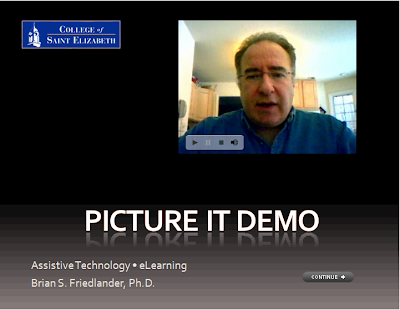
In my last post I shared with you how to insert a Flash video (FLV) into your Captivate 3 projects. Today I want to show you the final product so that you can see how it turned out. I have set the video to automatically start to play when it comes into view. You will need to click on the Continue button to go to the next screen. Enjoy!

Inserting Flash Video (flv) into your Captivate 3 Projects

In addition to all of the rich interactive features that are included within Captivate 3 it is nice to know that you can insert video into your projects right within the application. In order to insert a video into your Captivate projects it must be in the Flash Video format (FLV). While playing around with Adobe Presenter 7, I found a way to use the web capture feature to record Flash Video with my webcam and wanted to share this tip with you.

If you have Adobe Acrobat 9 Pro Extended installed on your computer you will also have Adobe Presenter 7 installed which gives you access to this feature that I highlight in the screencast. Using this feature will enable you to add Flash Videos to your projects which can go a long way to teaching someone a skill within your Captivate 3 project. Once you have the video saved in the FLV format it is very easy to insert it into your project, as you will see. So click here to view the screencast. Enjoy!

VZNavigator 4.1 on Blackberry Curve

Some time ago I wrote a piece about VZNavigator that I had been using on my cell phone for the past several years. Last spring I traded in my cell phone for a Blackberry Curve and was looking forward to using the latest version of VZNavigator on my Blackberry only to find out that version 4.1 of VZNavigator was not currently available. It did take a couple of months for VZNavigator to come out on the Blackberry Curve and but I am happy to report that I have been using it for several months now and really enjoying it. VZNavigator 4.1 uses the Networks in Motion -Traffic Enhanced version which also provides real time traffic information. VZNavigator provides turn by turn service with text to speech which I have found to be very accurate. GPS is one of those really amazing technologies that has made my life so much easier. I am able to store my favorite locations on the Blackberry and recall them when I need them. When I am near a computer I can also log onto my VZNavigator account and do a search and send the address to my Blackberry phone which I can then save to my Favorites. Having the accompanying web site really makes the whole process so much easier. It makes it easier for me to plan my trips and enter the information on my computer and then I can send it to my Blackberry. With VZNavigator4.1 I am now able to view my street maps in a 3D mode which really helps me when I am navigating. You will find the text to speech quality to be very good as is the volume. VZNavigator 4.1 also provides you with real time weather, gas prices as well as a full directory of points of interest. So if you are on a Verizon plan check it out. There is a $9.99 a month charge for the service but for someone who is on the road and wants enhanced traffic information and doesn't want to have to deal with another device it is a good deal.

AssistiveTek Blog Opens Online Store

With the New Year upon us there are some changes at AssistiveTek Blog. I have decided to open an Online Store and feature some of the software applications that I write about in my blog. I am using ProStores which is a subsidiary of eBay which took me minutes to set up and use. I am hoping to be able to bring together some of the top information tools that can be used with MindManager as well as some other standalone applications that maybe lesser known. Right now I am featuring Context Organizer and theRealizer2 and hope to add more products in the future. So if you get the chance stop by the Online Store and check it out. Thanks